All instant smokes on Mirage in CS2: “window” and “start”

Instant smokes on Mirage help you start the round without any unnecessary delay: the grenade is thrown right from the respawn point and covers the necessary position for your team’s exit. Let’s break down the options for “window” and “start” with precise commands for the five respawn points.
There are several terrorist spawn points on Mirage, so a single universal aim for a quick smoke isn’t enough. Each respawn has its own setpos, aim angle, and throw method. If you mix up even one parameter, the grenade will hit a wall, land too late, or explode in the wrong spot.
This guide compiles all the Mirage instant smokes we’ve analyzed for two scenarios: instantly closing the “window” and a “start” smoke. Both options are executed right at the start of the round, but the mechanics differ. For the “window,” you need to push forward with a Jump Throw, while for the “start,” the first two respawns are played with a regular throw, and the rest with LMB + RMB and Jump Throw.
These setups are especially useful when the team knows the round plan in advance. Players don’t have to run to a specific spot and waste a few seconds preparing. The smoke is already in the air while the rest of the team takes up their positions, so the push to “mid” starts faster and is more predictable.
Instant smoke into the “window” on Mirage
The “window” is one of the key positions for controlling “mid.” A defender can quickly gather intelligence, support a push into the “short,” or engage terrorists with a sniper rifle. An instant smoke removes this early line of sight even before the attackers have fully occupied the center of the map.
All five variants are thrown the same way: you need to press W and the jump key simultaneously. Only the starting point and the aim direction change. You can’t use the neighboring respawn point as a reference here: even a small difference in angle noticeably changes the grenade’s trajectory.
Below are the five available starting points. Before practicing, simply identify your spawn, copy the corresponding setpos and setang values, and then repeat the throw frame by frame. The aiming point for each variant is shown below the general diagram.
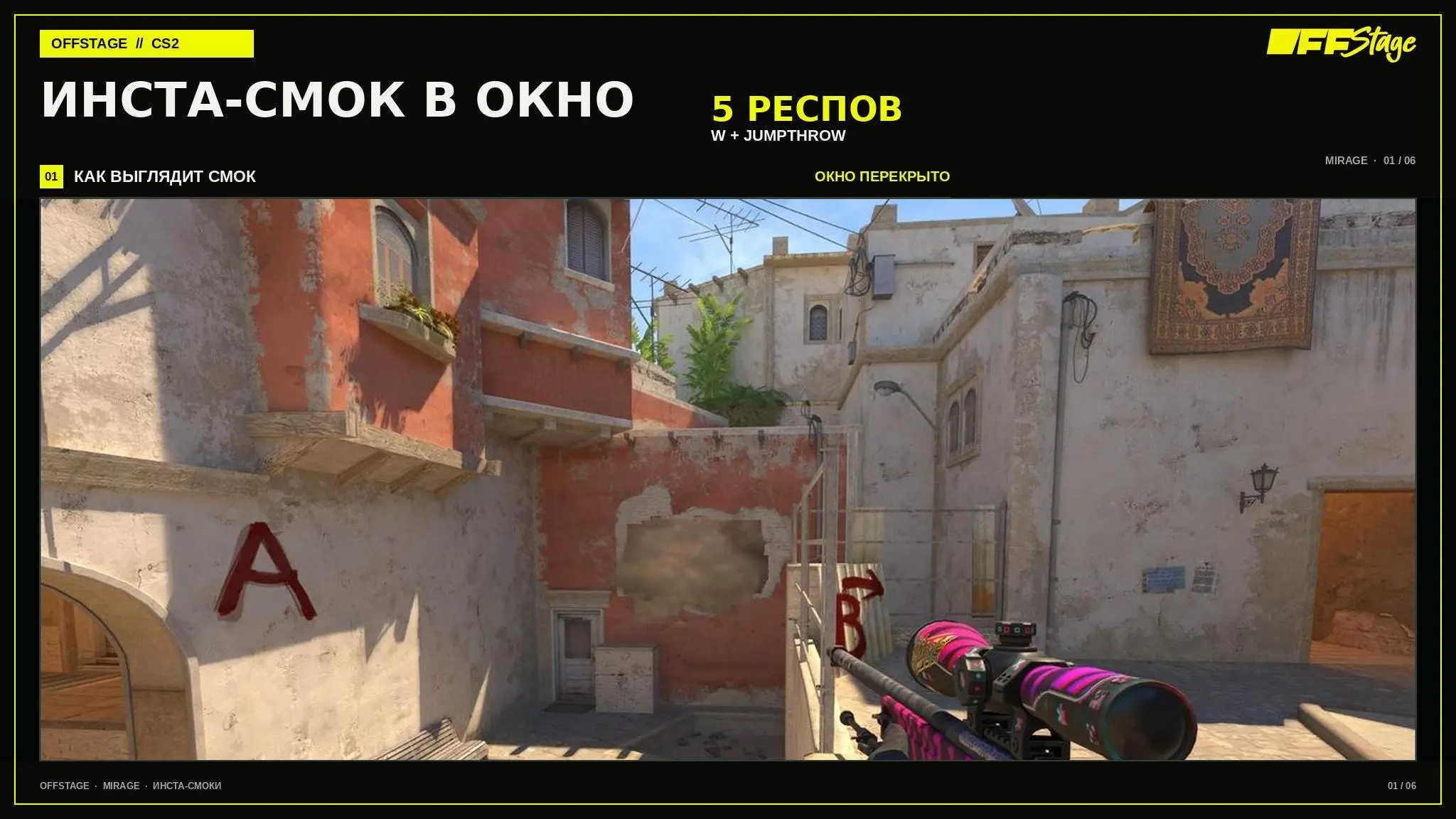
The overview graph shows the result of the throw. You can copy the exact `setpos` and `setang` values from the lines below the corresponding respon graph.
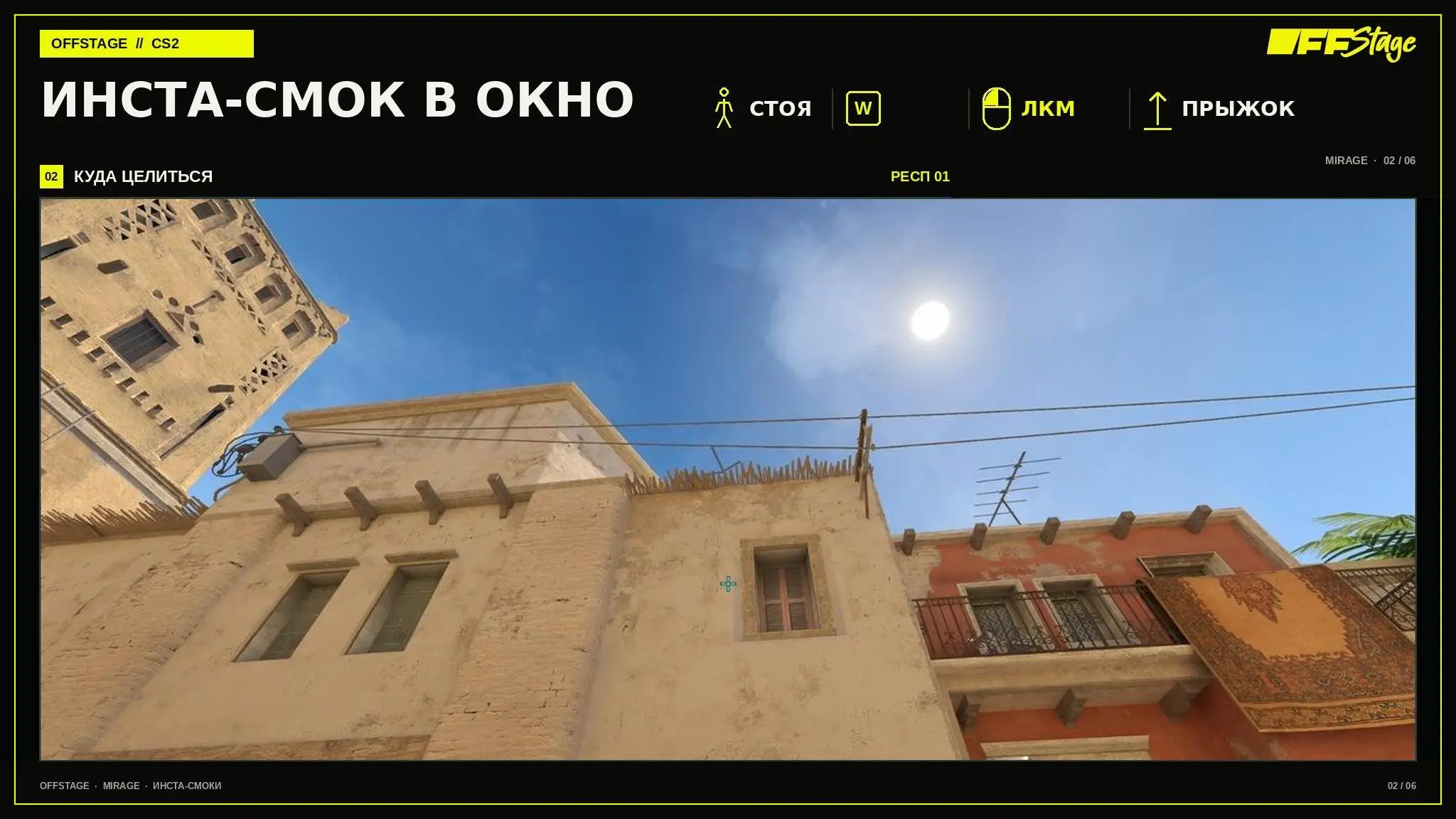
”: setpos 1296 -352 -103.968750; setang -42.539242 -173.761917 W + Jumpthrow + LMB
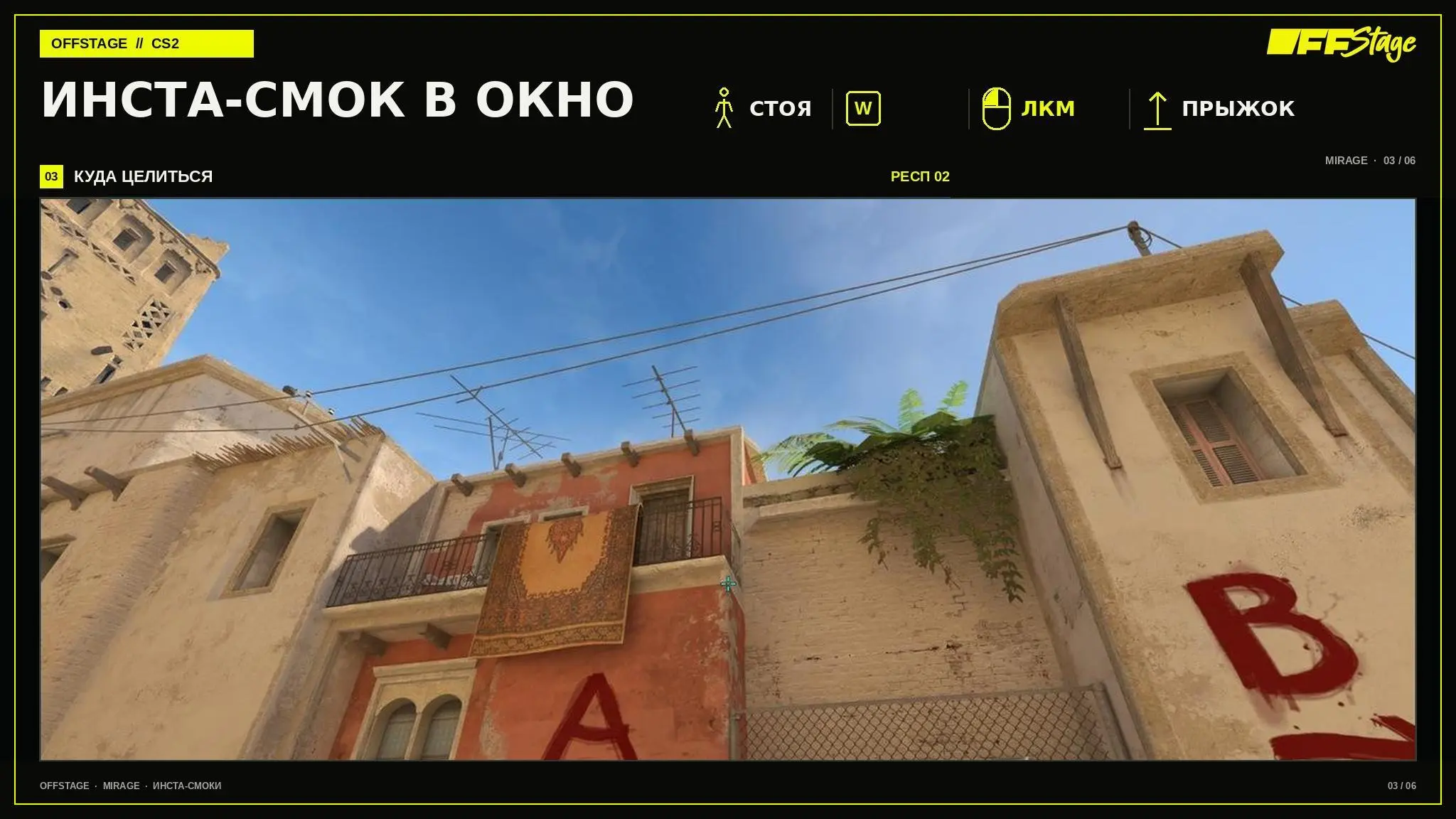
”: setpos 1296 32 -103.968750; setang -28.916742 -165.954102 W + Jumpthrow + LMB
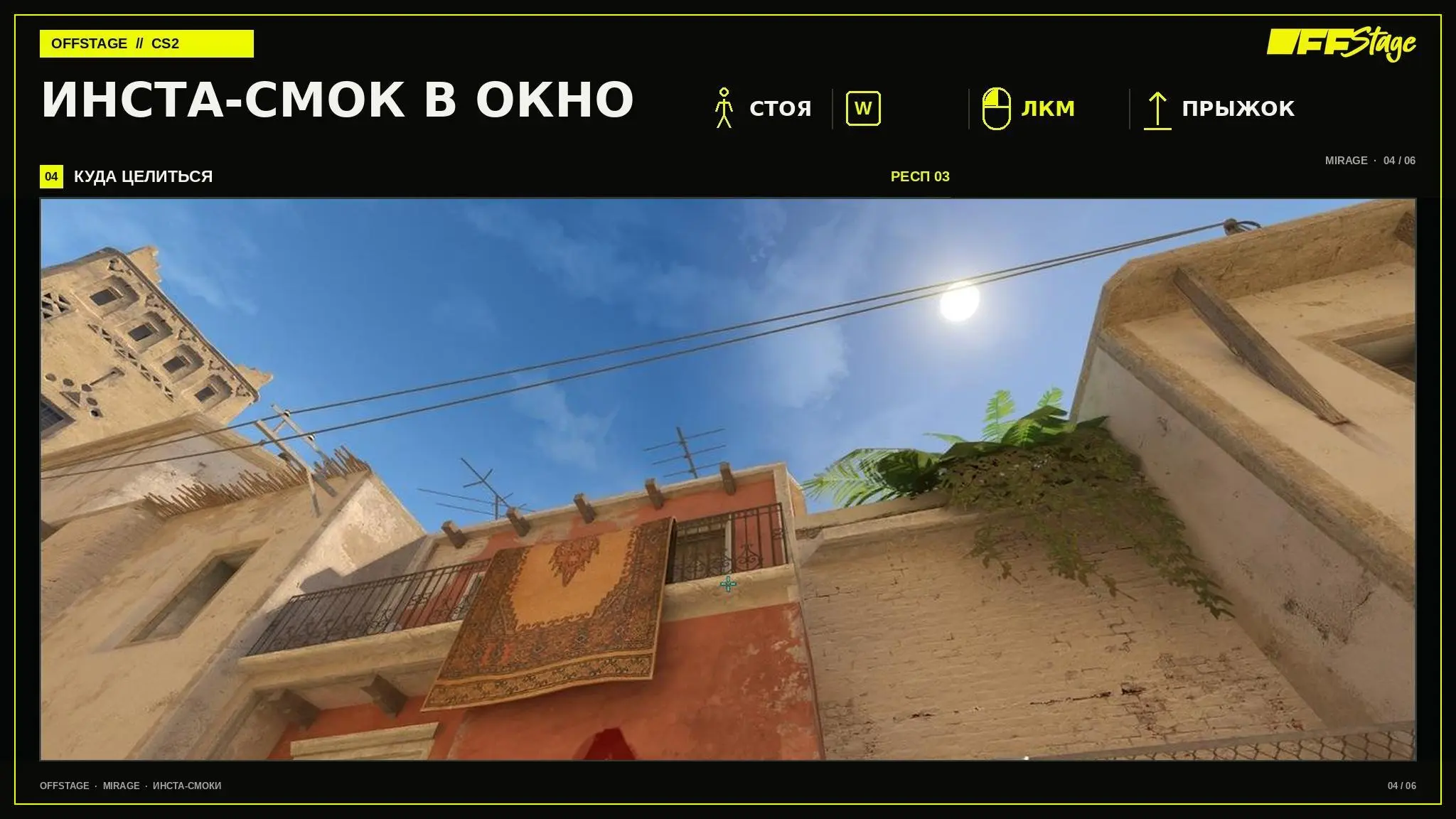
”: setpos 1216 -16 -101.776901; setang -43.489635 -166.300812 W + Jumpthrow + LMB
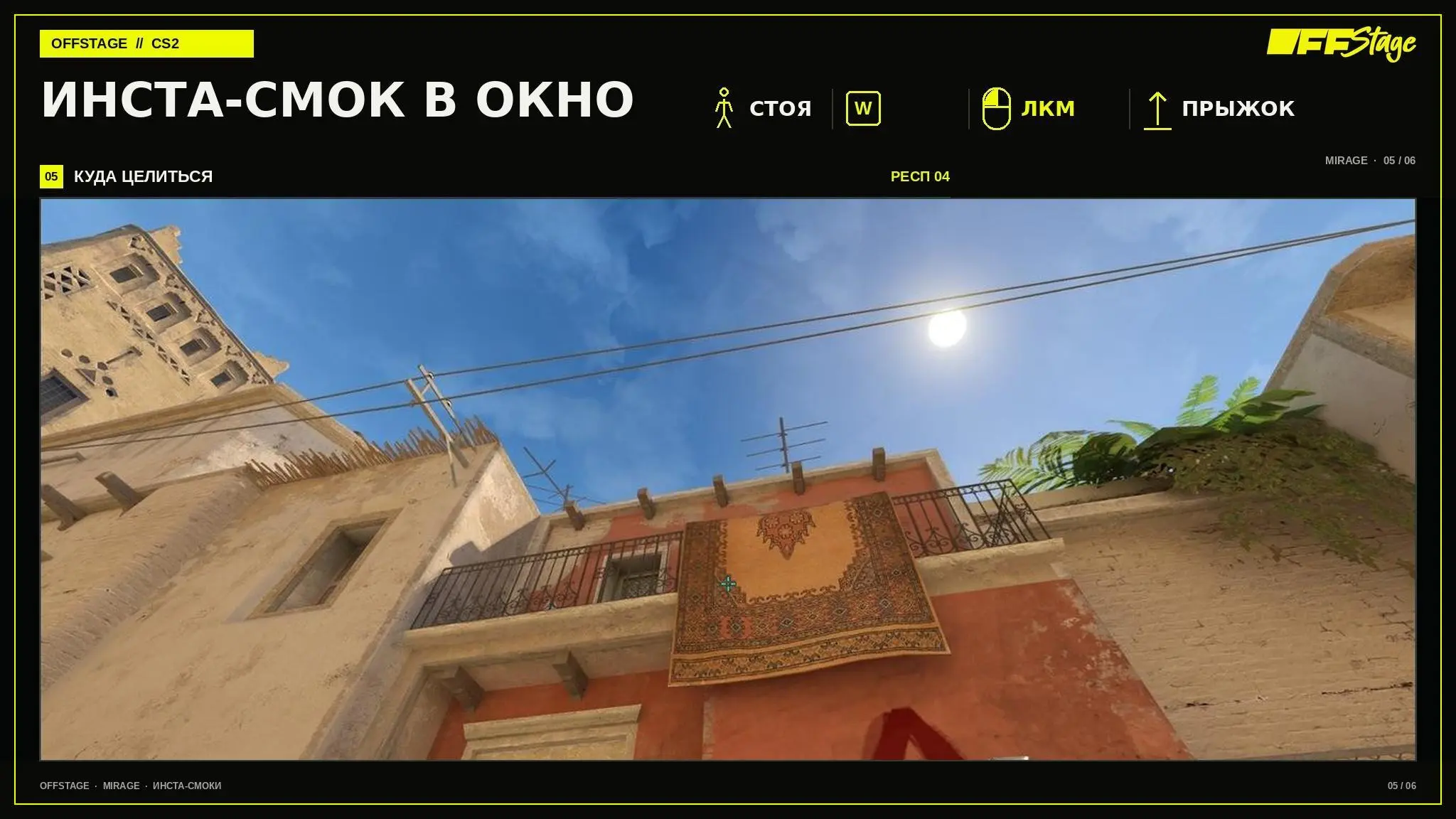
”: setpos 1216 -115 -101.776901; setang -44.950588 -168.625031 W + Jumpthrow + LMB
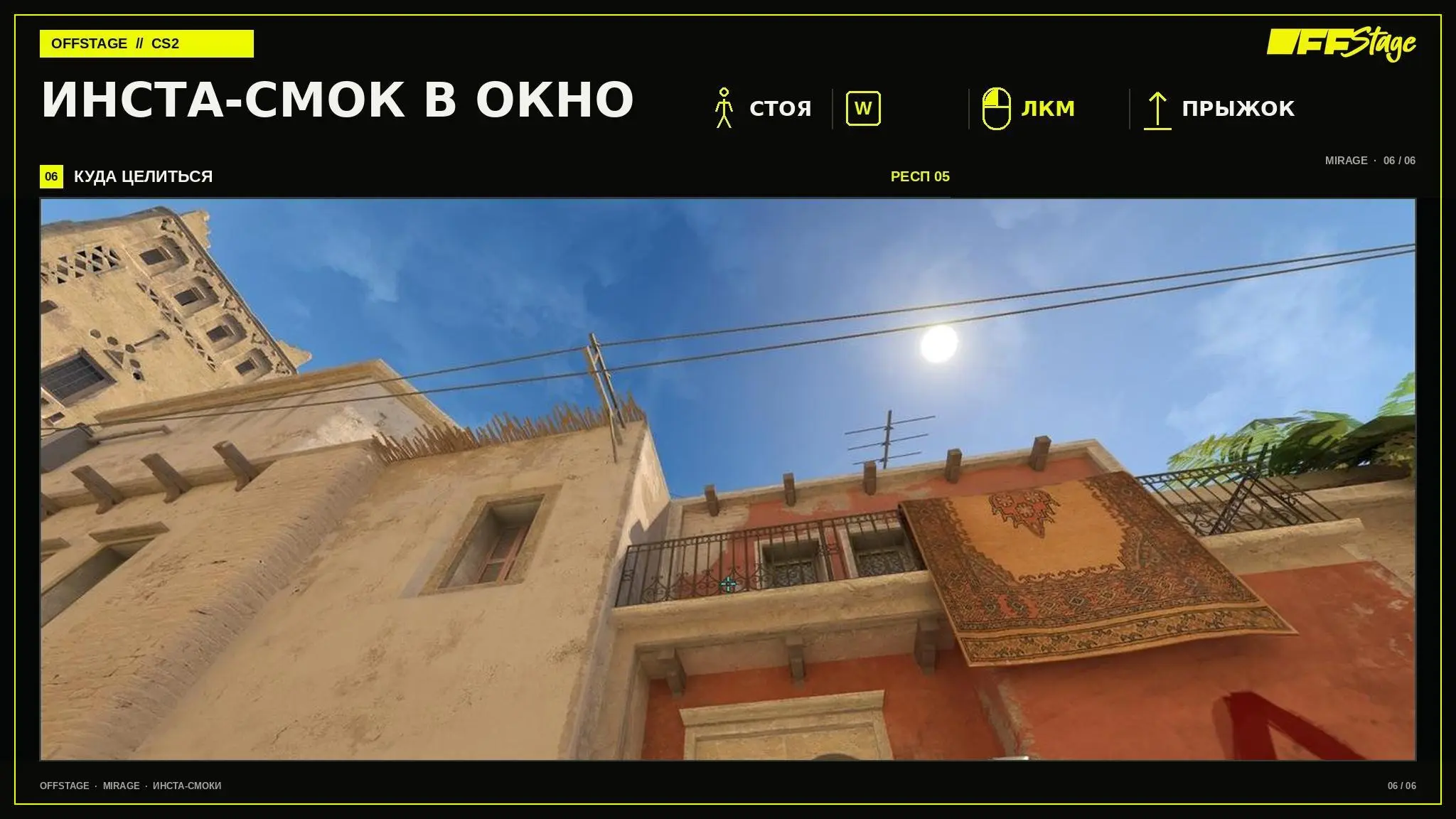
”: setpos 1216 -211 -100.840805; setang -46.023994 -170.309219 W + Jumpthrow + LMB
The main mistake in this throw is trying to move forward first and then adjust your aim. The angle must be set in advance. After that, you just need to press the movement button and Jumpthrow simultaneously: an extra pause changes the point where the smoke deploys.
Instant smoke at “Start” on Mirage
A smoke at “Start” blocks early vision on “Mid” and helps the team begin securing the area without an open duel in the first few seconds. It’s useful in fast-paced rounds when attackers want to rush out of respawn immediately without stopping for a separate throw.
There are two ways to throw this instant smoke. From the first and second respawns, a regular Throw without a jump is sufficient. At the third, fourth, and fifth respawns, use LMB + RMB and Jump Throw. You can’t mix the options: the same aim with a different throw strength will result in a different trajectory.
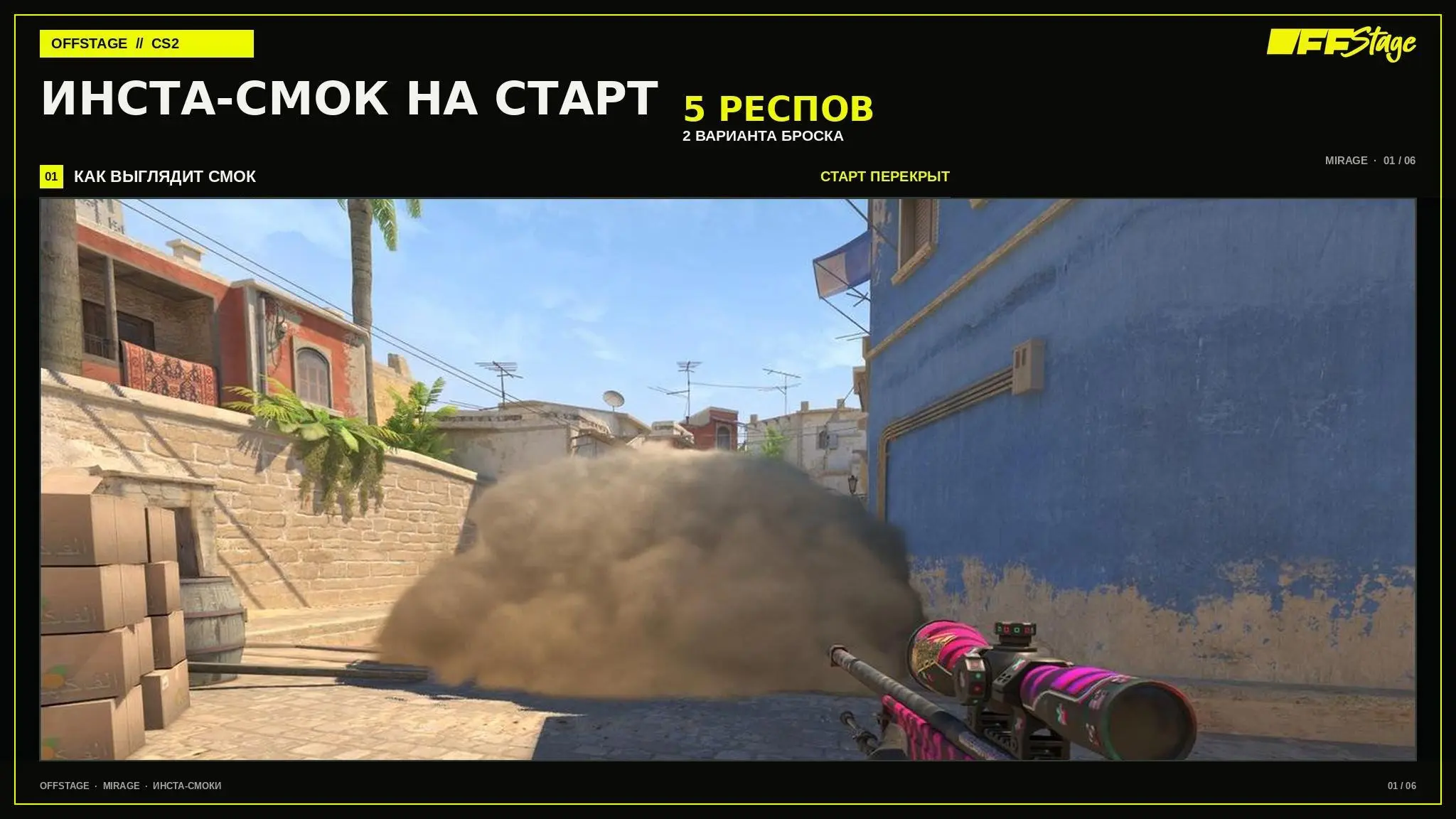
The first two frames show a regular throw; the next three show the version using both mouse buttons and a jump. The method is indicated on each card, so before practicing, be sure to check not only the `setpos` and `setang` values but also the top block with the icons.
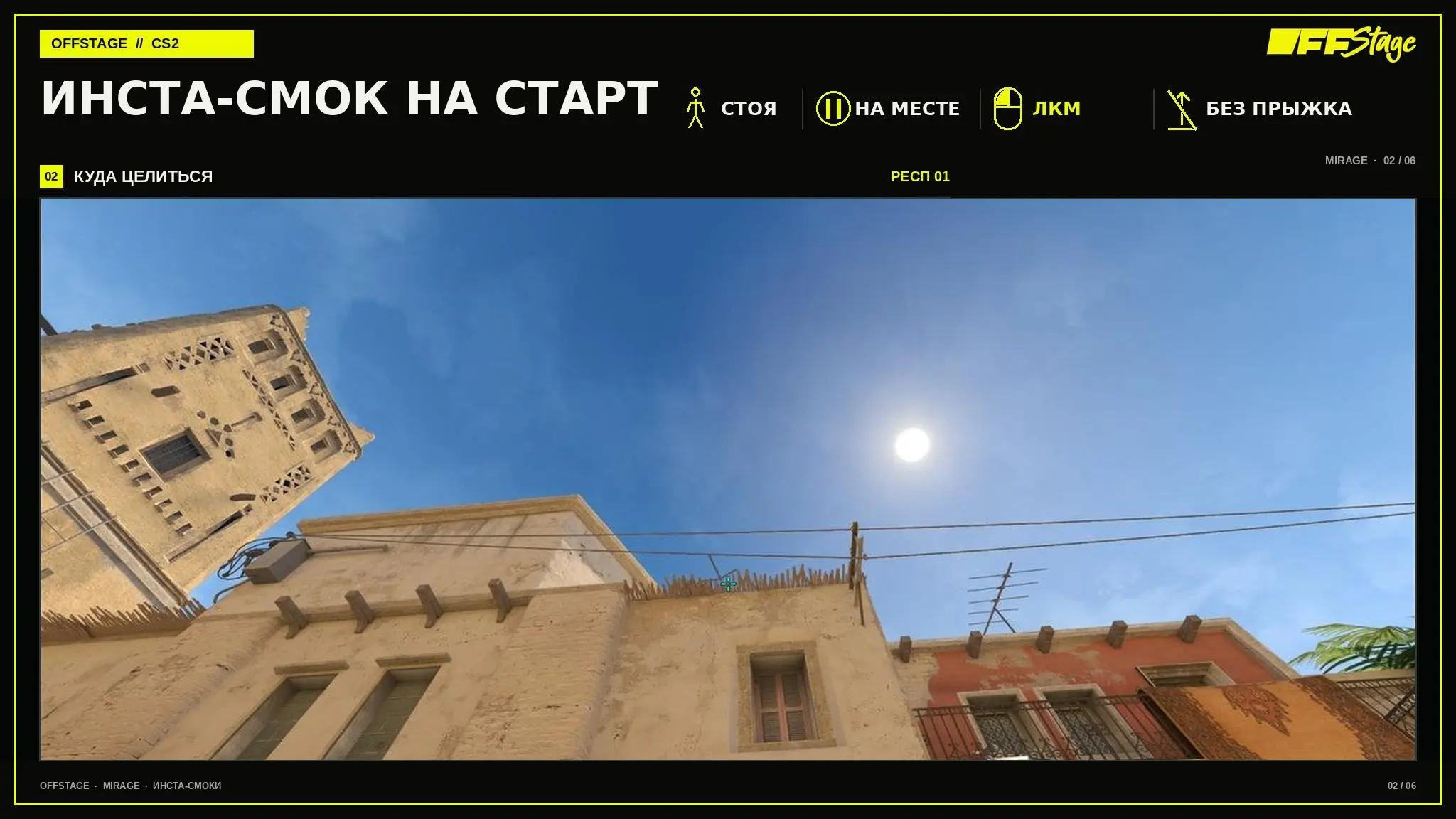
instant smoke: setpos 1296 -352 -103.968750; setang -54.278439 -174.378601 LMB
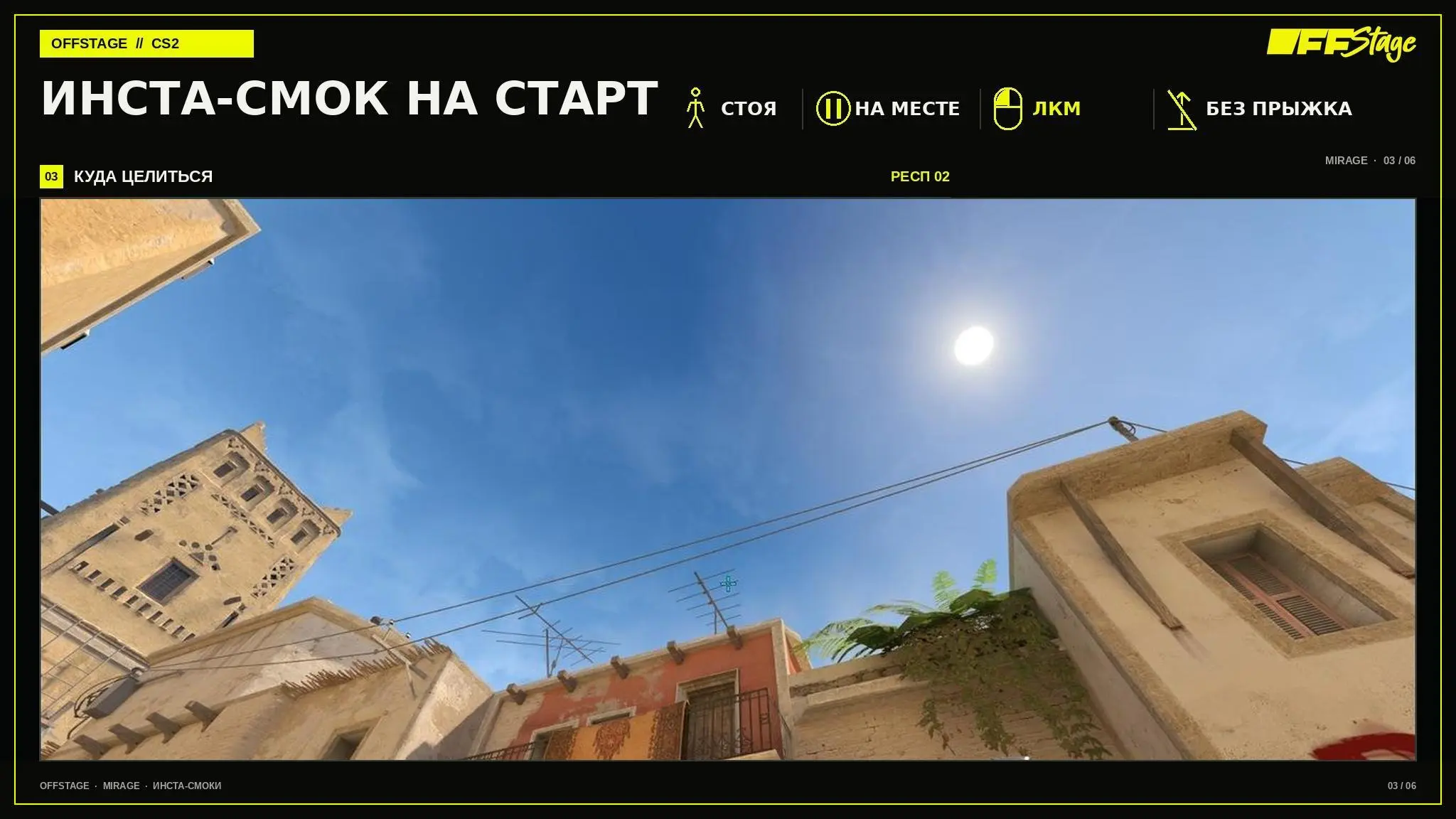
”: setpos 1296 32 -103.968750; setang -50.054409 -159.564835 Left-click
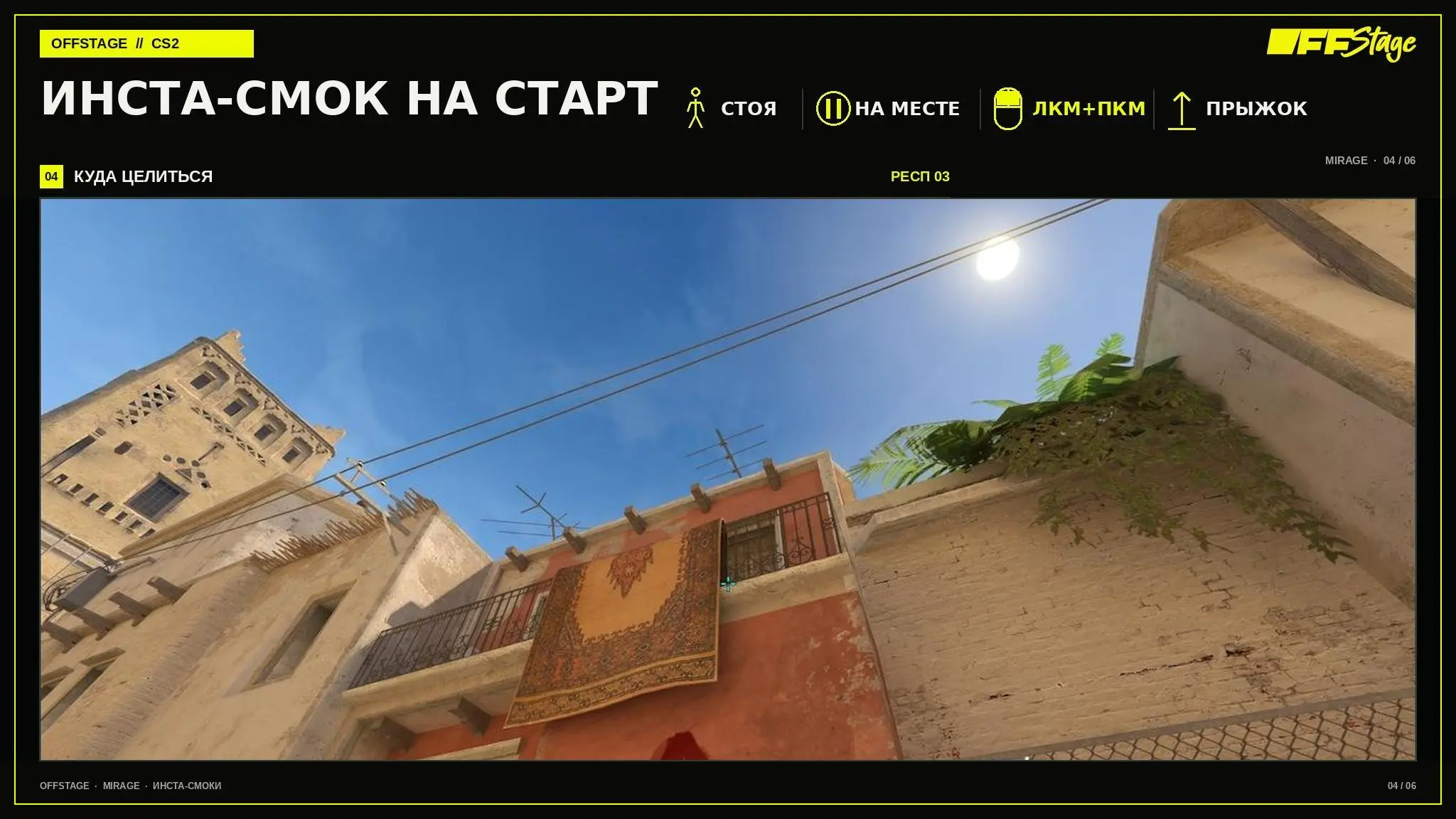
”: setpos 1216 -16 -101.776901; setang -43.296196 -157.940567 Left-click + Right-click + Jumpthrow
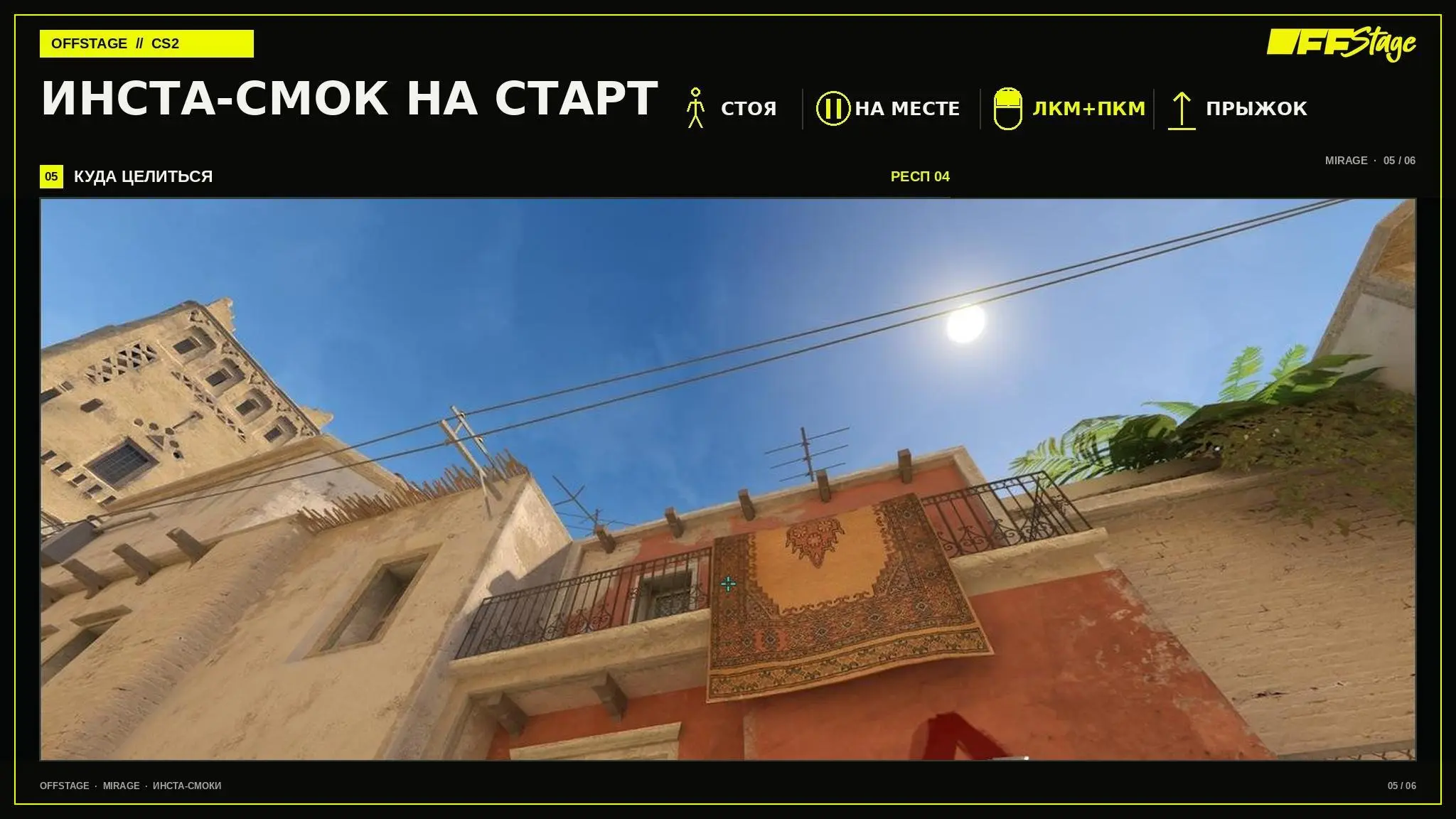
setpos 1216 -115 -101.776901; setang -46.428936 -163.625259 LMB + RMB + Jumpthrow
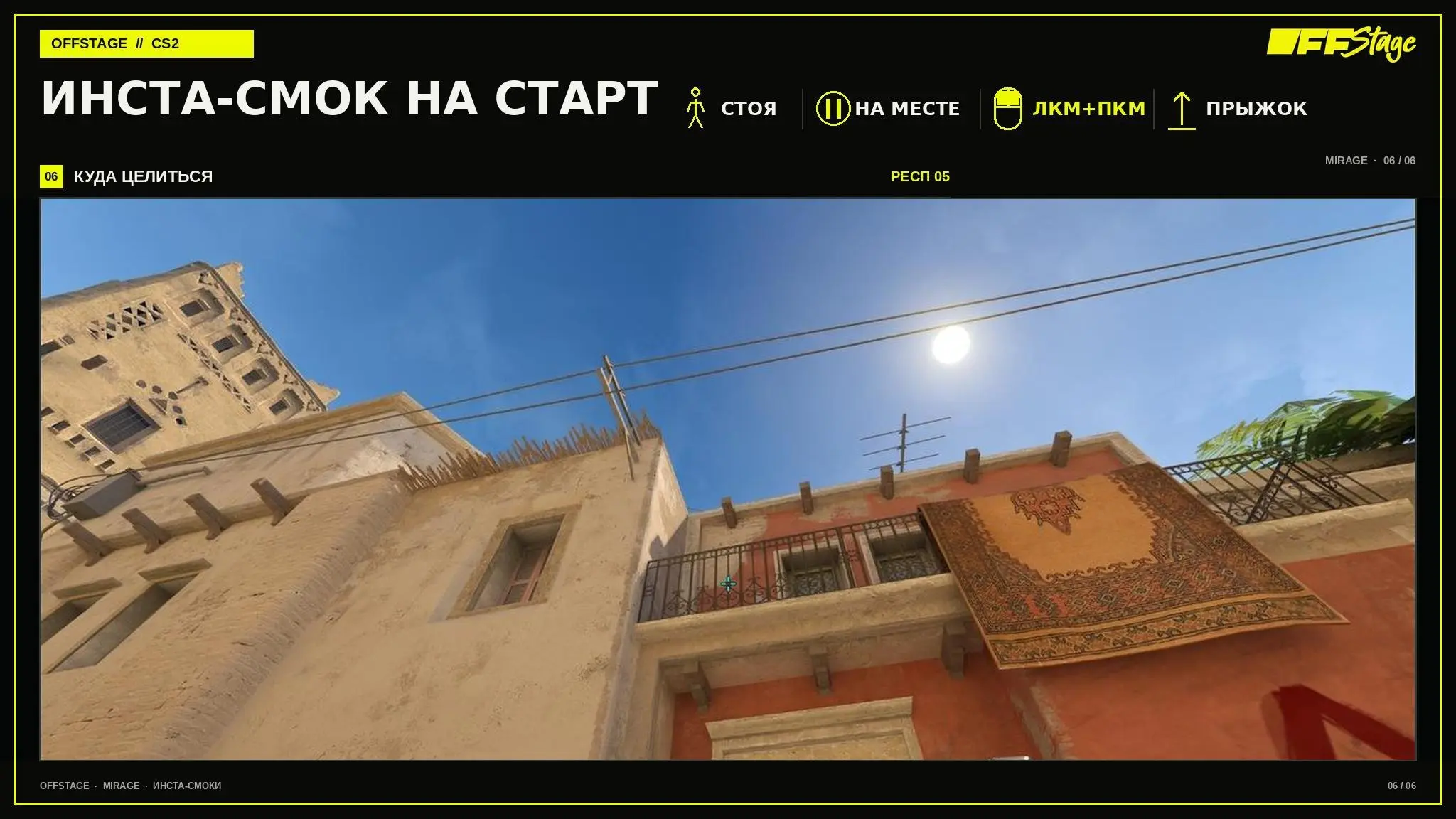
setpos 1216 -211 -100.840805; setang -47.132843 -166.929657 LMB + RMB + Jumpthrow
Why the instant smoke grenade doesn’t arrive
Most often, the problem stems from an incorrect respawn point. Visually, neighboring points may appear almost identical, but their setpos and setang commands differ. If the grenade consistently lands in the wrong spot, first check the start point number, and only then adjust your throwing technique.
The second reason is unnecessary mouse movement after setting the angle. With these types of throws, you don’t need to fine-tune your aim at the last moment. Set the angle, release the mouse, and focus solely on the input: for the “window,” this is a forward movement followed by Jumpthrow; for the “start,” it’s Throw or LMB + RMB with Jumpthrow, depending on the respawn.
Another common mistake is practicing only successful shots. A single lucky hit proves nothing. A reliable throw must be repeated several times in a row without adjustments; otherwise, it will fall apart during a match due to haste and the pressure of the timer.
How to Practice Instant Smokes on Mirage
Launch a local Mirage game, enable `sv_cheats 1`, and go through all five respawn points in sequence. The setpos and setang commands are already indicated on the diagrams. To start, do five repetitions from each point and count only the series where the smoke spreads identically as a success.
After practicing the mechanics, remove `setang` and try to re-establish your aim using in-game reference points. Then repeat the exercise without pausing between respawning and throwing. It’s the speed that sets CS2 instant smoke apart from standard memorized smoke placements, which are executed after taking up a position.
At the end, check the smoke with your partner. They’ll be able to assess the moment the smoke unfolds from the “mid” side and tell you if there’s still a gap. This kind of check is more useful than reviewing the trajectory on your own: in a match, what matters isn’t a pretty grenade flight, but how early it blocks the opponent’s view.
Frequently Asked Questions (FAQ)
Это граната, которую бросают сразу со стартовой точки в начале раунда. Игрок не тратит время на подход к отдельной позиции, поэтому дым раскрывается раньше обычной раскидки.
Нет. Способ броска одинаковый, но setpos и setang меняются. Для каждого из пяти респов нужна своя точка прицеливания.
Для смока в «окно» Jumpthrow используется на всех пяти респах. Для смока на «старт» он нужен только на третьем, четвёртом и пятом респах; первые два выполняются обычным Throw.
Нужно использовать обе кнопки мыши и выполнить Jumpthrow. Это не двойное нажатие ЛКМ: сила броска будет другой, и граната не повторит нужную траекторию.
Обычно причина в неверном респе, неточном угле или нарушенной синхронизации движения и броска. Сравните результат с нужной карточкой и повторите ввод без дополнительных движений мышью. Инста-смоки Mirage стоит учить не как набор случайных наводок, а как часть стартового плана. Если каждый игрок заранее знает свой респ и следующий шаг, смок перестаёт быть отдельным трюком и начинает экономить команде реальные секунды раунда.