Smoke placements on the Ancient map in CS2
On Ancient, smoke screens block the line of sight in the mid area and at the bomb sites. They help the attackers move through open areas of the map and help the defenders hold off the opponents at the start of the round. This guide compiles ten smoke placements for both sides. For the attackers, we’ll cover smoke in the window, the donut, the cave, the dark area, the light area, KT, and the coffee-donut. For the defense—smokes at the mid start and in “Shutany.” Before the game, practice each throw on an empty server. For smoke placements that require using the SHIFT key, it’s important to stand at the exact same spot every time and throw the grenade at the exact same moment.
Attack Throws
On offense, smoke grenades are needed to secure mid and advance to the bomb sites. Start by mastering the window, donut, and standard smoke into the cave: these grenades are used in the round’s main scenarios.
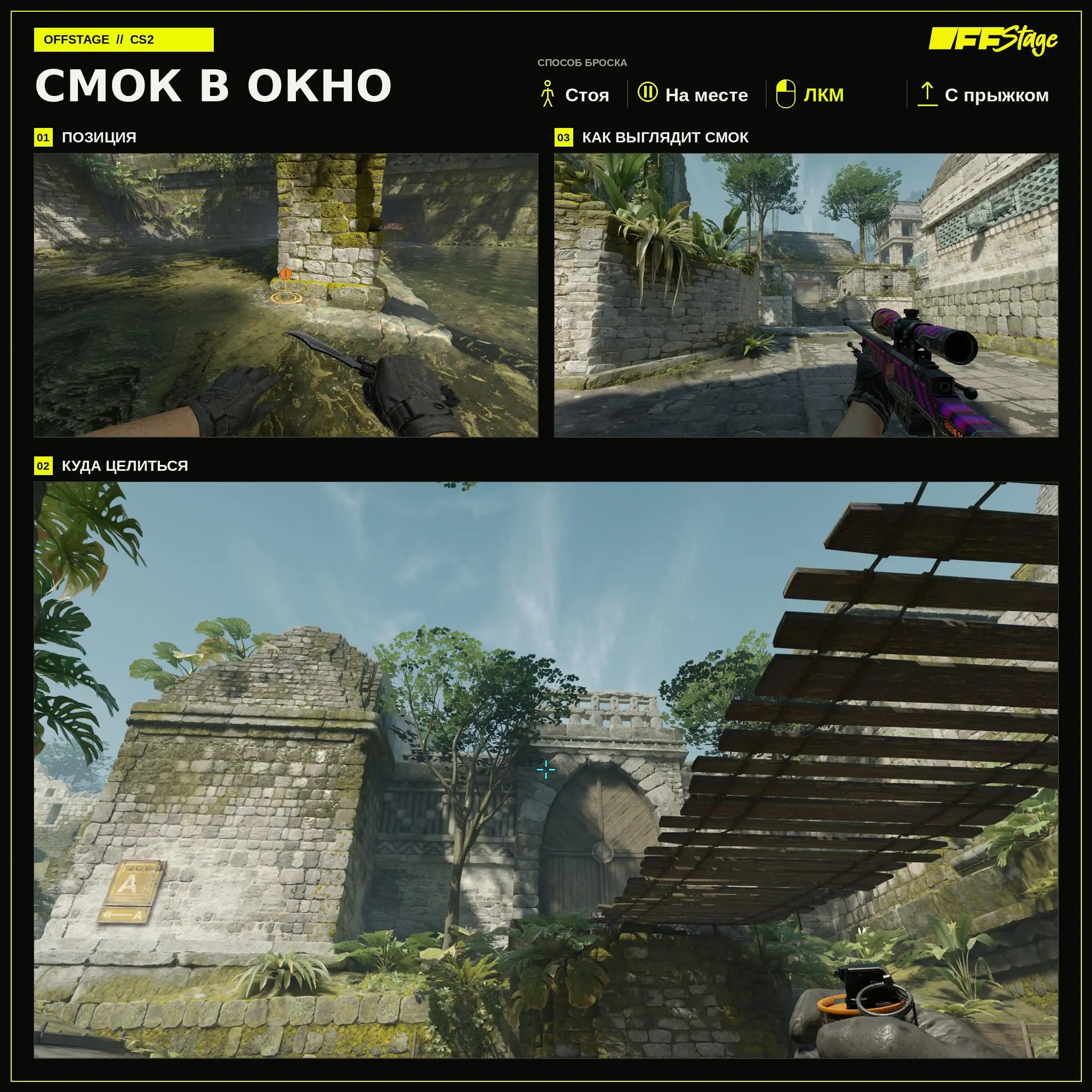
Smoke into the window
A smoke grenade thrown into the window blocks the view of mid. Stand at the marked spot, aim at the landmark, and press LMB + Jump Throw without moving. Once the smoke clears, your team can take the space in front of the Donut.
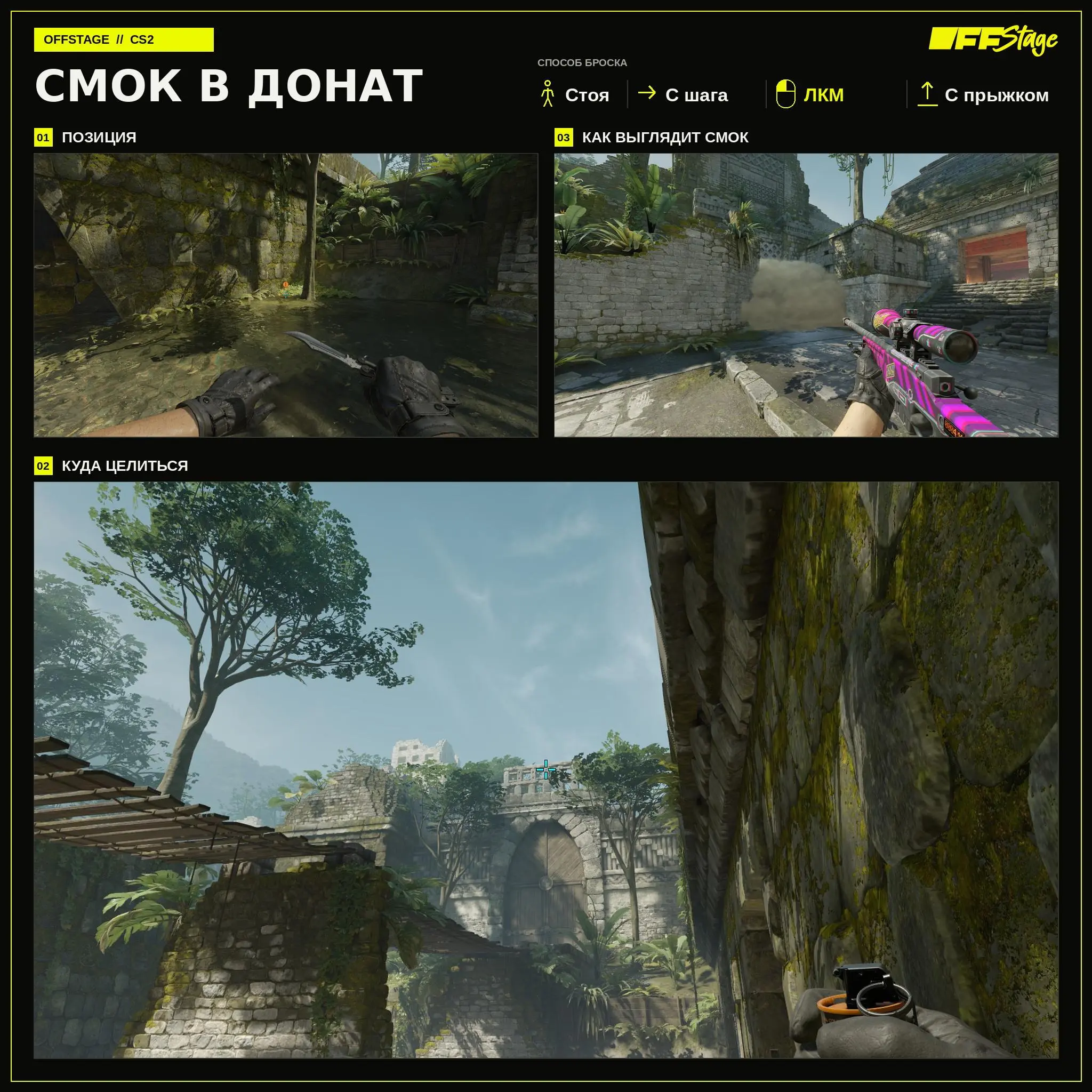
Smoke into the Donut
This smoke screen covers the donation area when moving from mid to Side A. Stand at the indicated spot, take two steps while holding SHIFT, and while moving, press LMB + Jumpthrow. If you run normally, the trajectory will change.
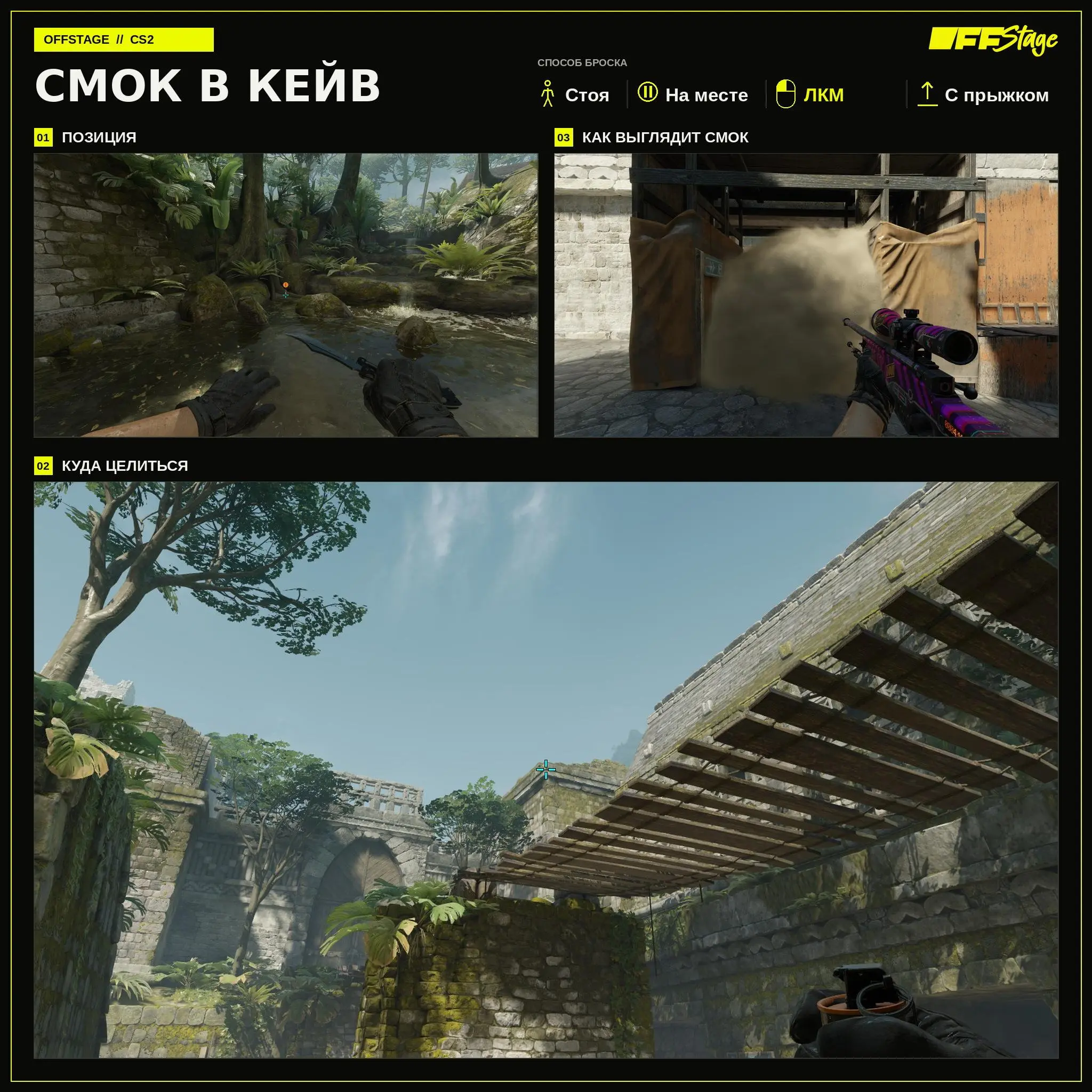
Smoke into the Cave
Smoke in the Cave blocks one of the lines when exiting to B. Position yourself as shown, aim at the landmark, and perform LMB + Jumpthrow from a standing position. You’ll still need to check the nearby positions at the entrance.
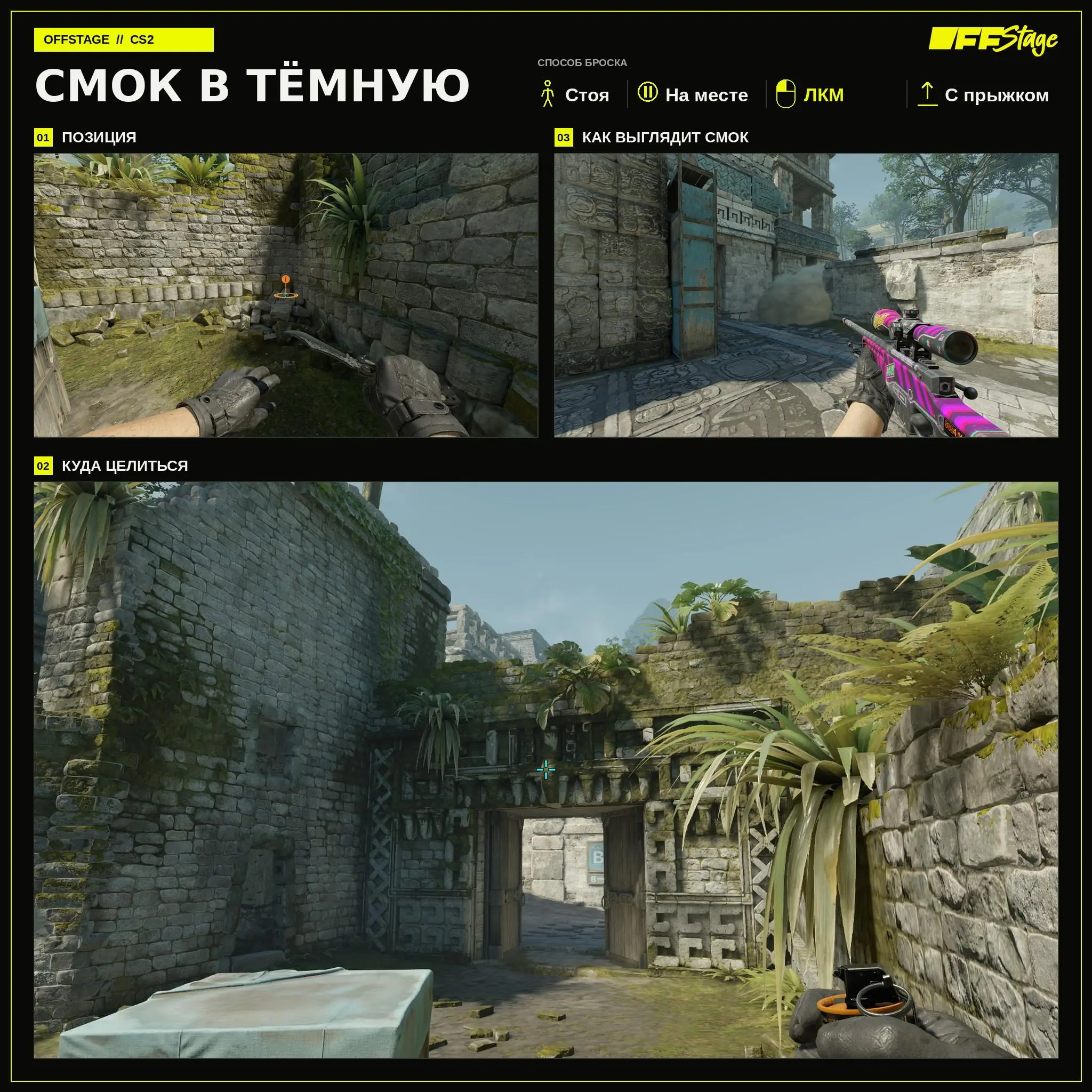
Smoke into the dark
Smoke in the Dark blocks the view from this part of the cave. The throw is performed while standing still: aim at the landmark and press Left Click + Jump Throw.
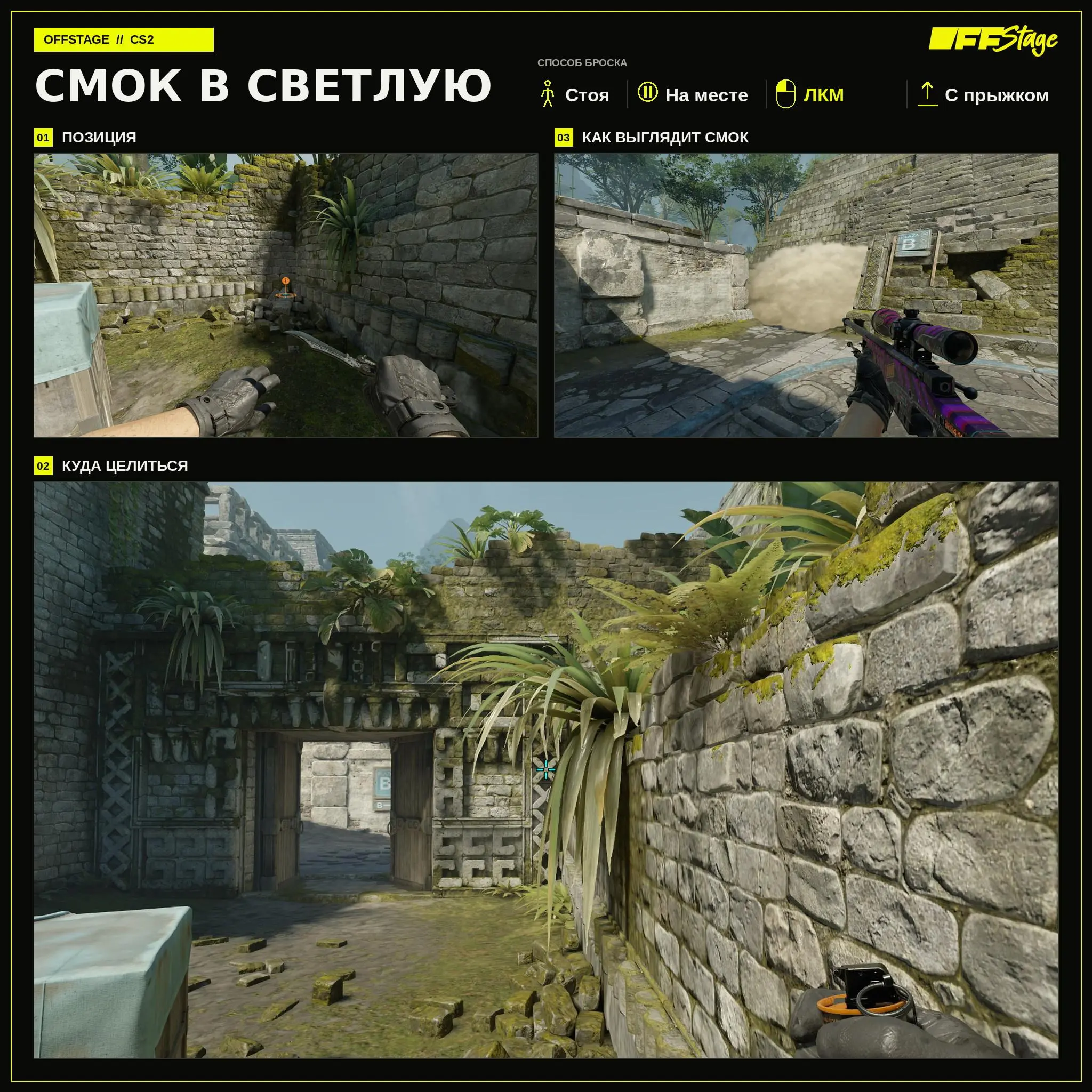
Smoke into the light
This variant blocks the view from the well-lit part of the cave. Stand at the indicated spot and press Left Mouse Button + Jump Throw without moving.
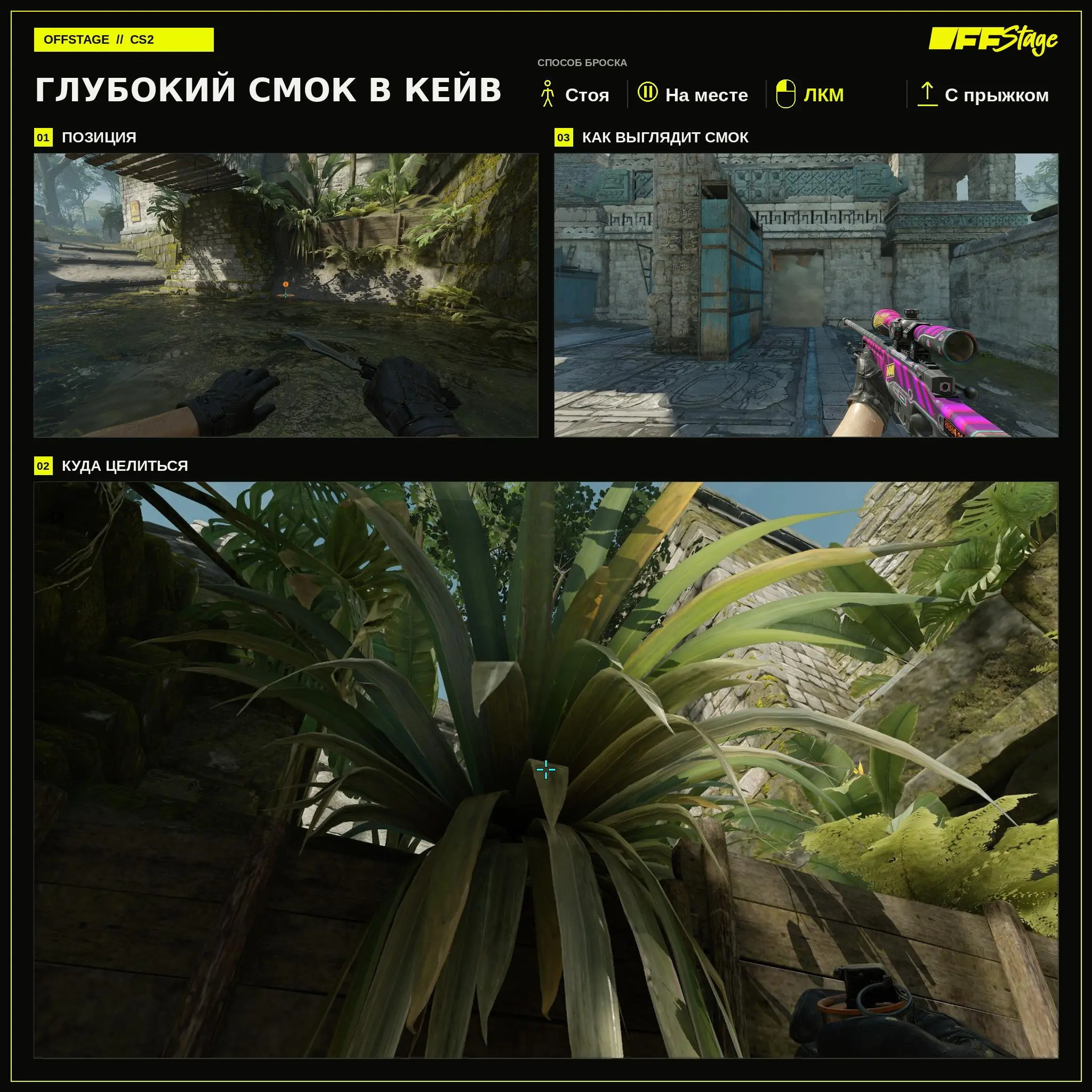
Deep smoke screen in the cave
A deep smoke screen spreads farther from the cave entrance and leaves more space for the attacker before the smoke. The throw is performed while standing still using LMB + Jumpthrow.
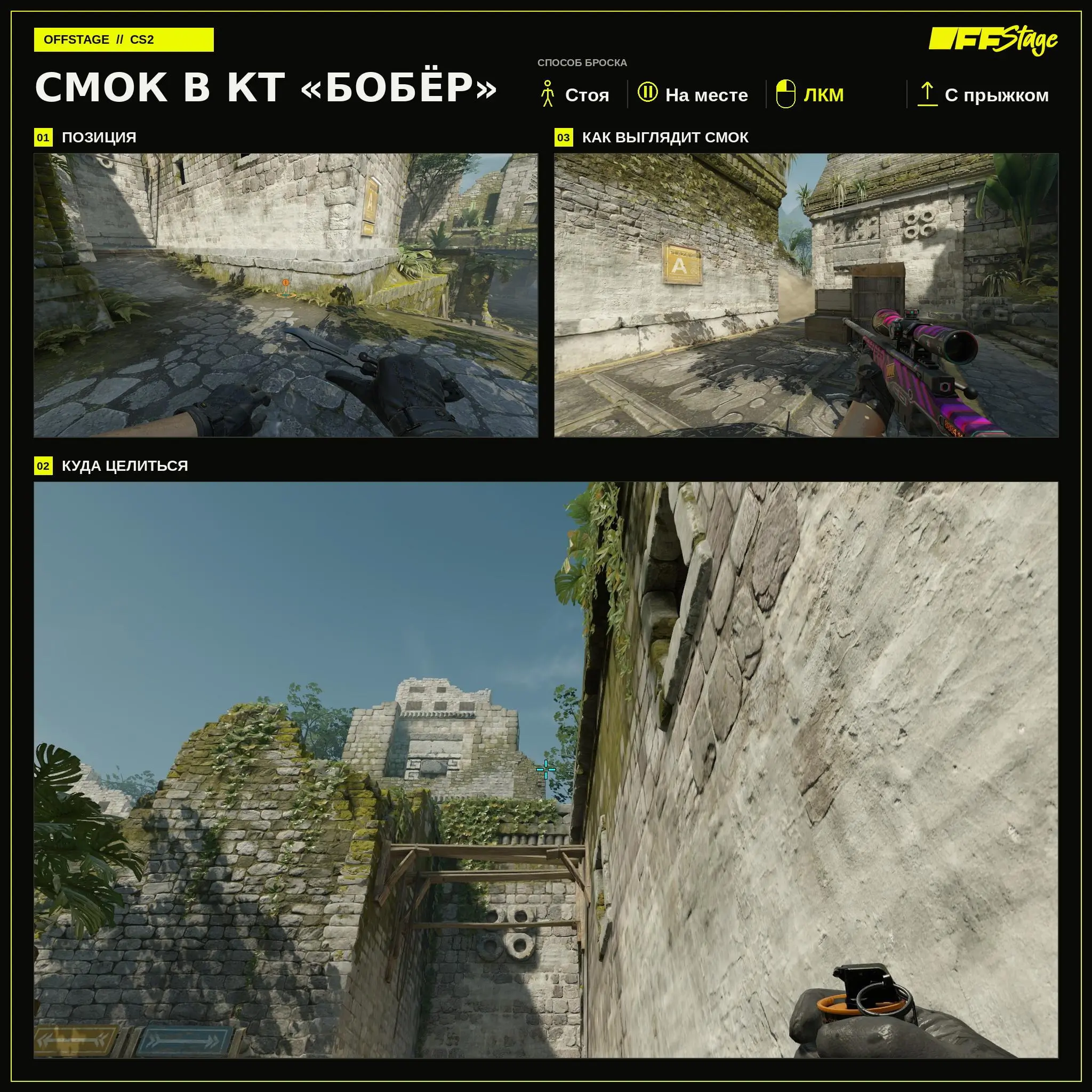
Smoke into the “Beaver” CT
The smoke screen covers the CT position known as “Beaver.” Stand on the marker and perform Left Mouse Button + Jump Throw without moving. After the smoke clears, check the near edge of the smoke screen.
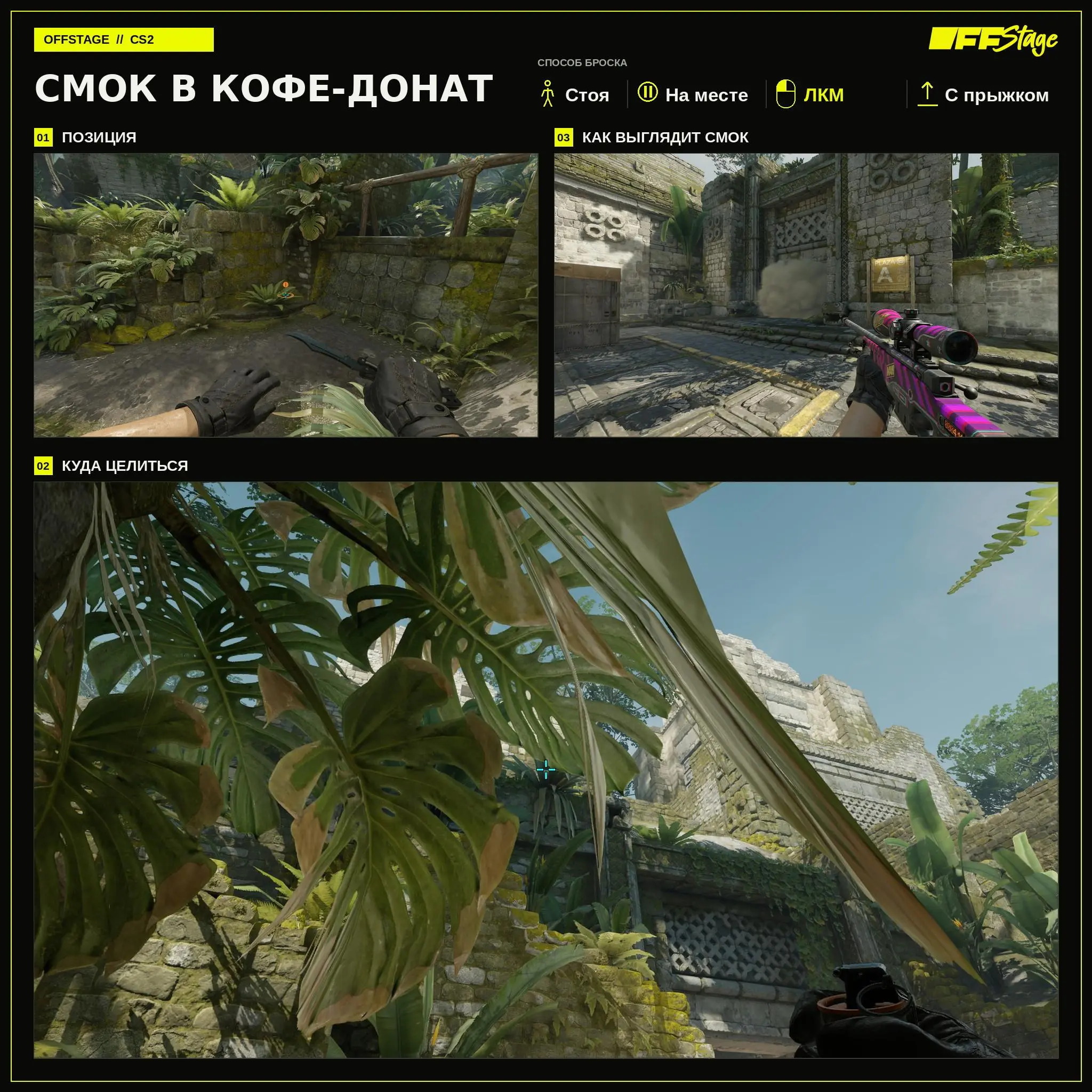
Smoke in the Coffee-Donut Area
This smoke screen covers the area between the coffee and the donut. Stand at the marked spot and perform LMB + Jump Throw without moving. This grenade is ideal for continuing your attack through the center of the map.
Defensive Smoke Placements
On defense, these grenades are used at the start of the round. Smoke grenades block early vision and give players time to take up positions to defend against the attack.
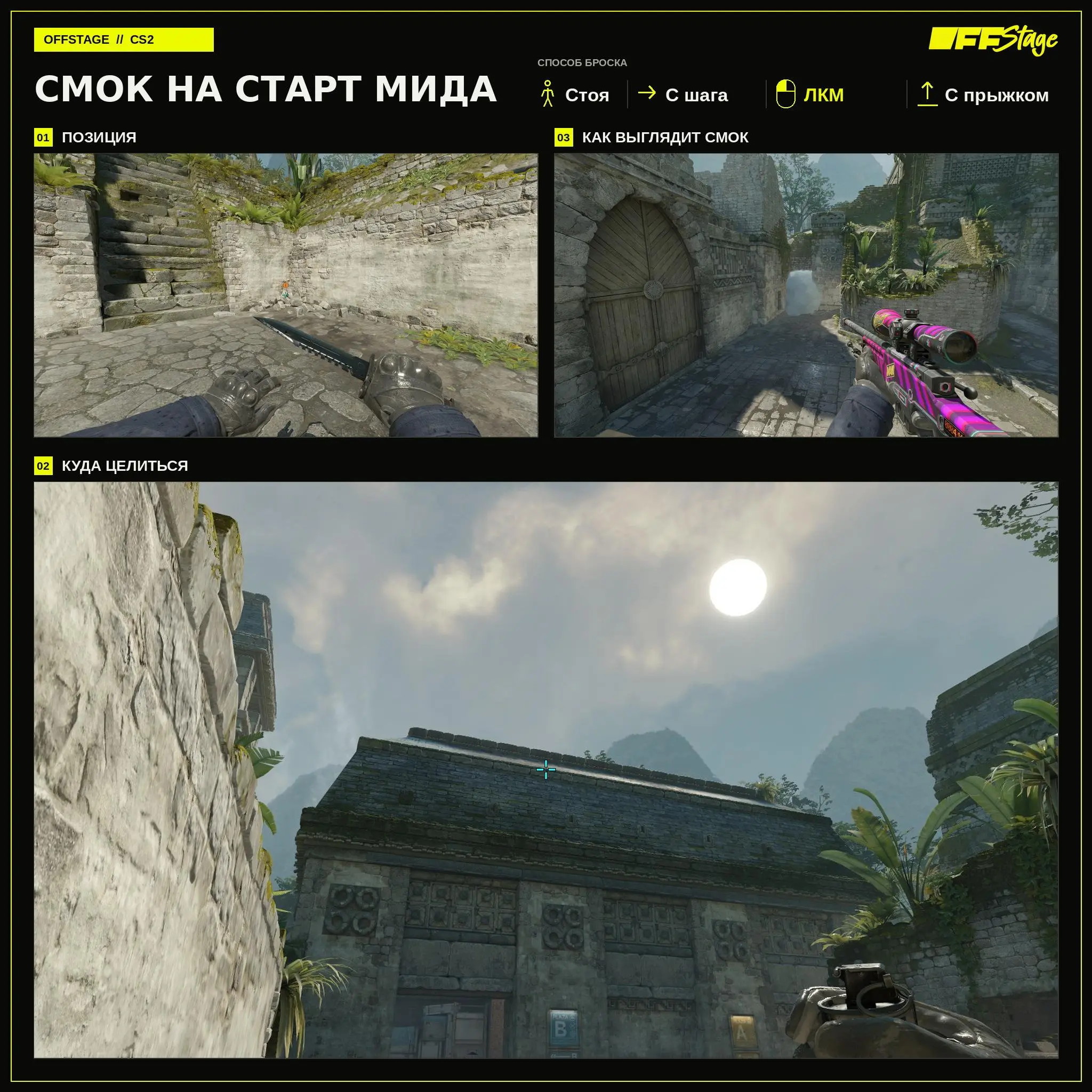
Smoke at the start of mid
Early smoke blocks vision from the mid start. Begin the throw while standing, take a couple of steps while holding SHIFT, and perform LMB + Jump Throw. Keep your step length consistent with each attempt.
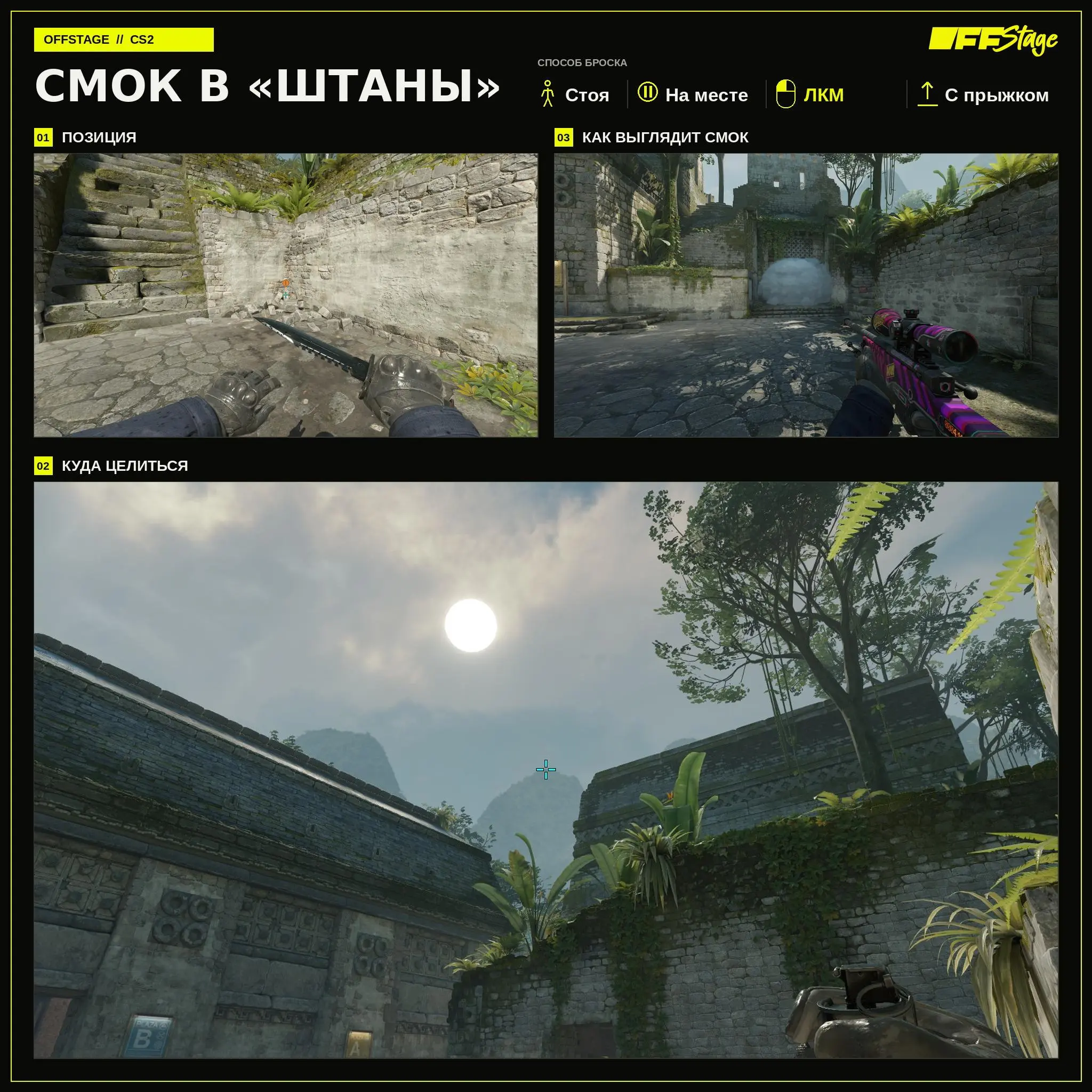
Smoke in “Pants”
Smok in “Pants” blocks the passage and delays the attack. Stand at the indicated spot, aim at the landmark, and perform LMB + Jump Throw without moving. After the throw, watch for a possible exit through the smoke.
Which Ancient smoke grenades to learn first
To start, learn the window, donut, standard cave, and mid-lane start for CT. These four smoke grenades cover the main routes. You can add the remaining smoke placements based on your team’s specific plans. During practice, check not only the landing spot but also the smoke deployment time. If the smoke grenade lands too early or too late, the team won’t be able to use it during the push.
Frequently Asked Questions (FAQ)
Начните со смоков в окно, донат и кейв за атаку, а также с гранаты на старт мида за защиту.
Встаньте в показанную точку, сделайте два шага на SHIFT и на ходу выполните ЛКМ + Jumpthrow. Обычный бег для этой раскидки не подходит.
Обычный вариант закрывает линию ближе ко входу, а глубокий раскрывается дальше и оставляет атаке больше свободного места перед дымом.