PUBG Mobile Key Layout for Phone: Best Settings for 3, 4, and 6 Fingers
The right control scheme in PUBG Mobile affects your reaction time just as much as a good smartphone. A convenient button layout helps you shoot faster, use the gyroscope, and move around during firefights all at the same time. In this guide, we’ll explain how to change the control layout in PUBG Mobile on your phone, show you the best options for playing with 3, 4, and 6 fingers, and discuss which layout is best suited for beginners and experienced players.
What Is a Control Scheme in PUBG Mobile and Why Change It
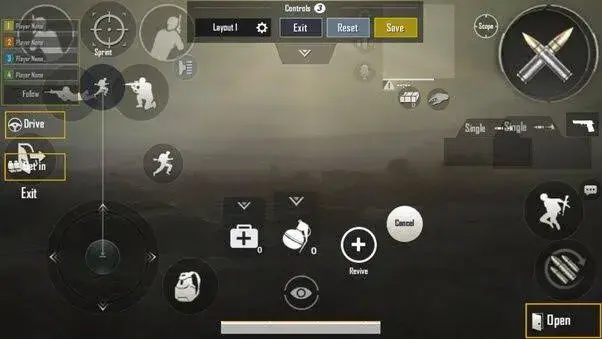
The control layout in PUBG Mobile refers to the arrangement of control buttons on your phone’s screen. Players can customize the size, transparency, and position of the buttons to make controls more comfortable. The default layout doesn’t work for everyone. That’s why many switch to layouts designed for three, four, or even six fingers.
A properly configured layout helps you react faster in firefights, control recoil more easily, and perform multiple actions simultaneously. That’s exactly why professional players and streamers almost never use the standard button layout.
In addition to the layout, camera sensitivity and firing sensitivity also affect gameplay. These should also be adjusted separately to match your reaction time. There’s no point in copying an esports player’s settings if your reaction time can’t keep up with theirs.
Also, for comfort, many players enable the gyroscope. By tilting the phone with the gyroscope enabled, you can achieve a zero-recoil effect. The gyroscope affects not only recoil control but also the speed of the crosshair’s micro-movements and the accuracy of sprays at long ranges. That’s why gamers prefer to use the gyroscope—for many, it’s easier than moving their finger across the screen.
How to Change the Control Scheme in PUBG on Your Phone
To change the control layout in PUBG, go to “Settings,” select “Controls,” and tap “Customize Controls.” Move the buttons to where you find them most comfortable and save your changes.
How to adjust button size and transparency
In control editing mode, you can adjust the size and transparency of each button individually. Larger buttons are easier to press, and transparent elements obstruct your view less during a match. Most players make the main buttons for shooting and crouching slightly larger than the standard size, while rarely used controls are set to be almost completely transparent. Below, we’ll explain which button layouts esports players use.
How to Save and Transfer Your Layout to Another Phone
PUBG Mobile saves your control settings to your account. After logging in on another device, your layout usually loads automatically. But if that doesn’t happen, open the “Controls” section and use the cloud save or import settings feature.
The Best Control Scheme for PUBG Mobile
There’s no single “best” control scheme for PUBG Mobile. Your choice depends on your phone’s size, the length of your fingers, whether your phone has a gyroscope, and your personal habits. So you can use another player’s settings as a starting point and then adapt them to suit your needs.
Control Scheme for PUBG Mobile Beginners
Beginners are better off starting with the standard layout or switching to three-finger controls. This makes it easier to get used to moving, aiming, and shooting at the same time without overwhelming yourself with too many buttons. The main rule is not to change your layout every day. Even good settings take a few weeks for your muscle memory to adjust to the new button layout.
PABG 3-Finger Keyboard Layout for Phone
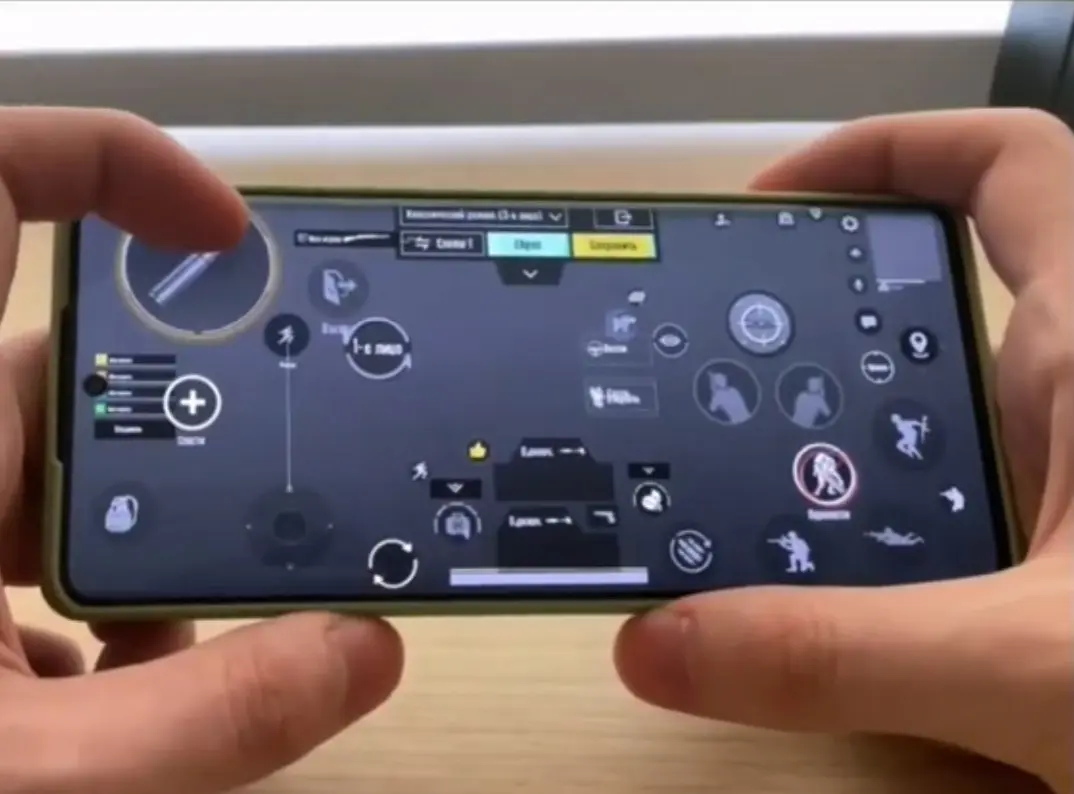
The three-finger layout is considered the happy medium between simplicity and effectiveness. Typically, the left index finger is used for shooting, while the thumbs are used for movement and camera control. This setup works well for most players and allows for comfortable gameplay even on smaller smartphones.
Code: 7178-5690-3498-8422-969 or 7259-8664-9008-0414-998.
4-Finger PUBG Mobile Layout
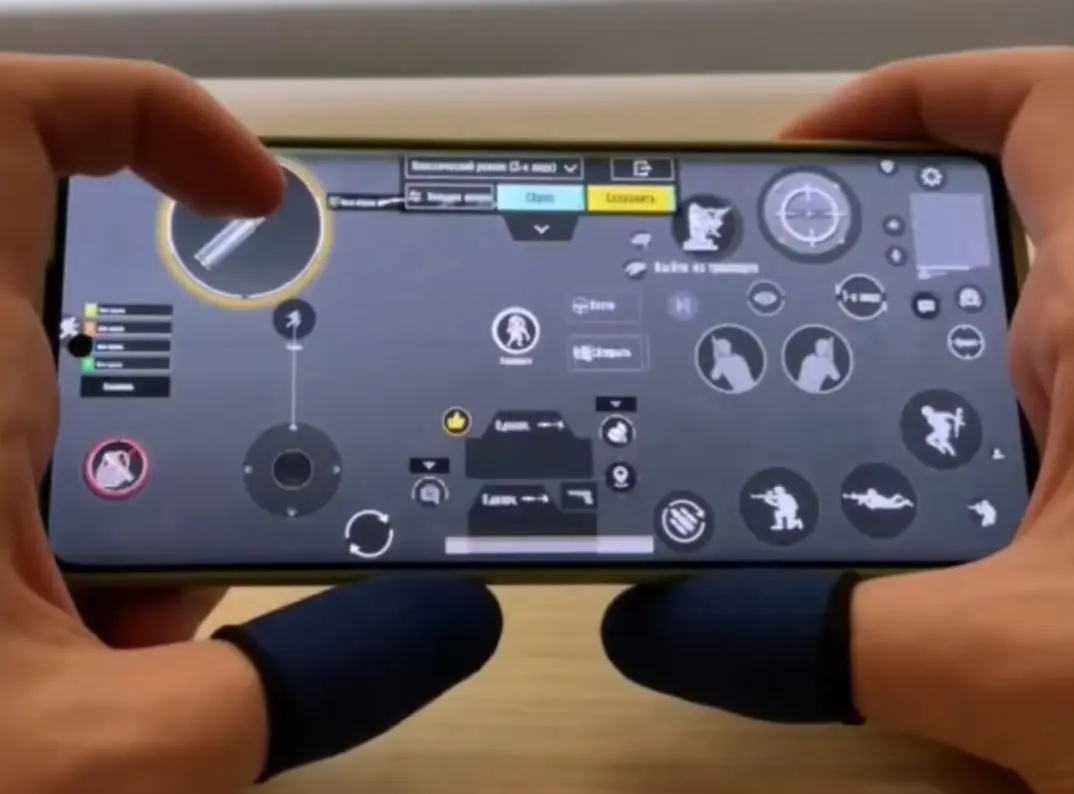
The four-finger layout is the most popular choice among experienced players and semi-pros. This layout allows you to move, shoot, crouch, and aim simultaneously. Switching to the four-finger layout usually takes a few weeks of practice, but you’ll be able to control the game more precisely once you get used to it. It’s recommended for players with medium-sized screens (around 6 inches).
Basic: 6974-6998-1946-2820-026.
Aggressive: 7162-8437-9265-0192-38.
6-Finger Layout for PUBG on Mobile
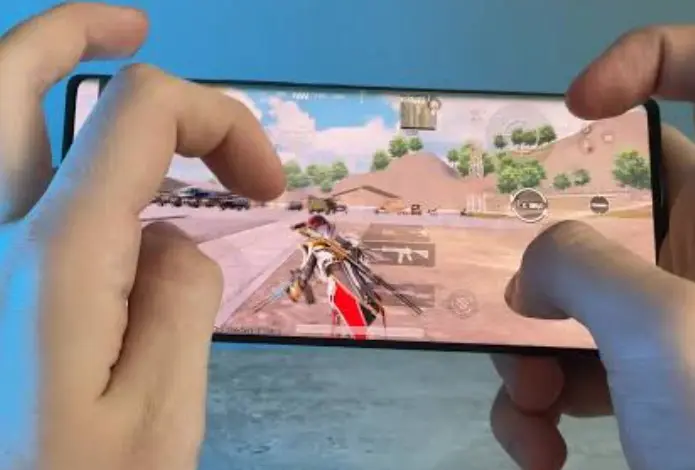
The six-finger layout is used mainly by professional players and owners of large smartphones or tablets. It allows you to assign almost every action to a separate button and minimize unnecessary finger movements because there’s plenty of space on the screen. However, for most players with medium-sized screens, this layout will feel cluttered. Don’t force yourself to play this way just because your favorite player does. The main thing is to enjoy the game, not turn it into a Guitar Hero competition.
Code: 6960-4887-1407-8797-709.
Top PUBG Mobile Finger Layouts from Pro Players
Most professional players use four- or five-finger layouts in combination with the gyroscope. This approach provides better recoil control and allows you to perform multiple actions simultaneously. If you want to improve your performance, don’t copy a pro’s layout exactly. It’s better to use it as a starting point and gradually adjust the button layout to fit your grip and playing style.
| Layout | Code | Gyroscope | For |
| Balanced | 7307-1085-6780-4282-435 | Balanced | Suitable for most gamers |
| Basic for tablets | 1-7478-5115-3389-3888-854 | Balanced | Players with iPads and larger screens |
| Stable gyroscope | 1-7478-5115-3389-3888-855 | Gyroscopic tilt | For better recoil control and sprays |
| Basic (no gyroscope) | 1-7571-6708-4489-3563-702 | Without gyro | For a quick start |
Frequently Asked Questions (FAQ)
Универсальной лучшей раскладки нет. Всё зависит от размера телефона, количества пальцев, использования гироскопа и личных привычек игрока.
Новичкам обычно хватает двух или трёх пальцев. Более опытные игроки переходят на четыре пальца, а профессионалы и люди с планшетами иногда используют схемы на пять или шесть пальцев.
Да, если вы хотите быстрее реагировать в перестрелках и выполнять несколько действий одновременно. Однако привыкание к новой раскладке может занять несколько недель.
Да. В PUBG Mobile можно импортировать готовые коды раскладок. Но даже настройки профессиональных игроков обычно приходится немного менять под свой хват телефона и размер экрана.
Не обязательно, но многие сильные игроки используют гироскоп для лучшего контроля отдачи и более точного спрея на дальних дистанциях.