Rocket League Credits: How to Buy Rocket League Currency in 2026


Credits in Rocket League are the main in-game currency used to purchase cosmetic items, unlock blueprints, and get the Rocket Pass Premium. You can purchase credits directly in-game or through the Epic Games Store; however, standard payment methods may not be available to Russian users. In this guide, we’ll break down how to buy Rocket League credits in 2026, what they’re used for, and what payment methods are available to players in Russia.
How to Buy Rocket League Credits in Russia
There are several ways to buy Rocket League credits in Russia: using an international credit card, gift cards, or third-party services that offer in-game balance top-ups. For most Russian players, the latter option will be the most convenient.
On digital goods marketplaces, you can find offers to buy credits or top up your Epic Games balance. Before paying, be sure to check the seller’s rating, number of sales, and reviews. Make sure the reviews weren’t all posted at the same time, aren’t written in the same style, and that their writing style doesn’t resemble that of a neural network.
To redeem the code, launch the Epic Games Launcher and log in to the appropriate account. Click the settings icon in the upper-right corner.
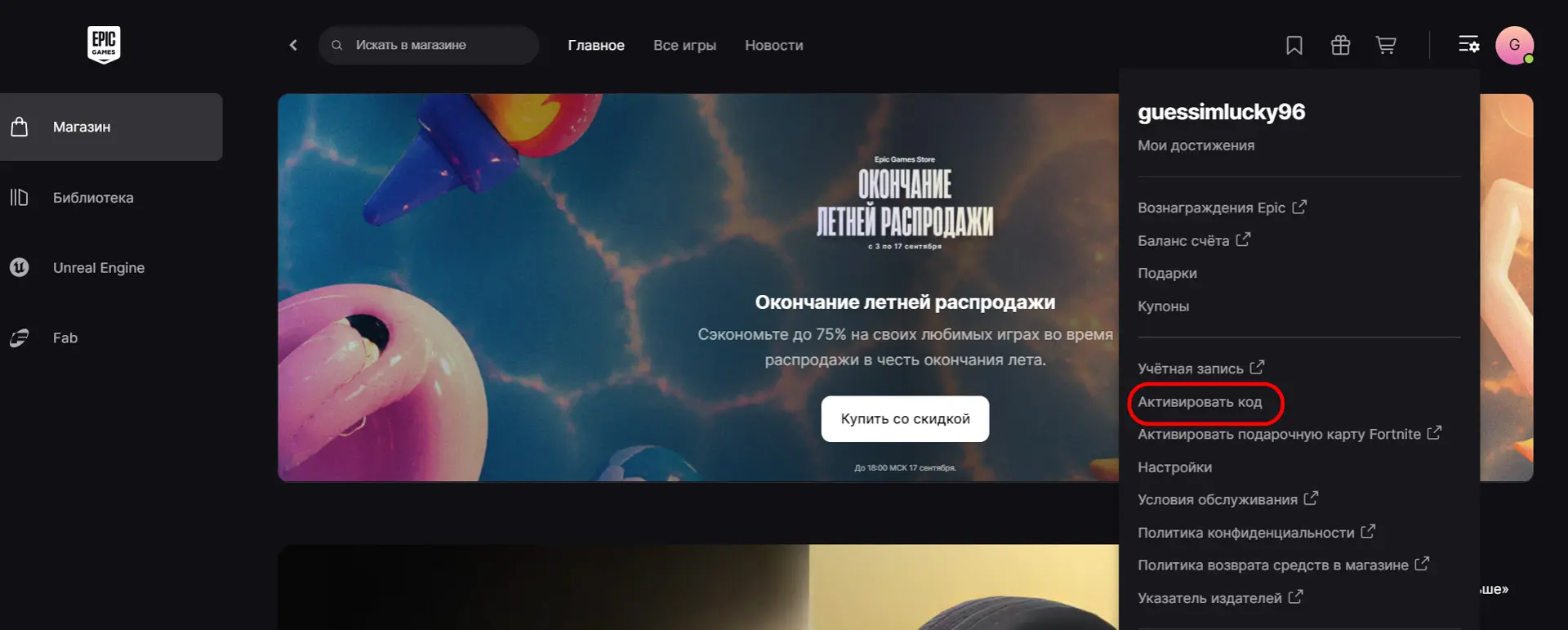
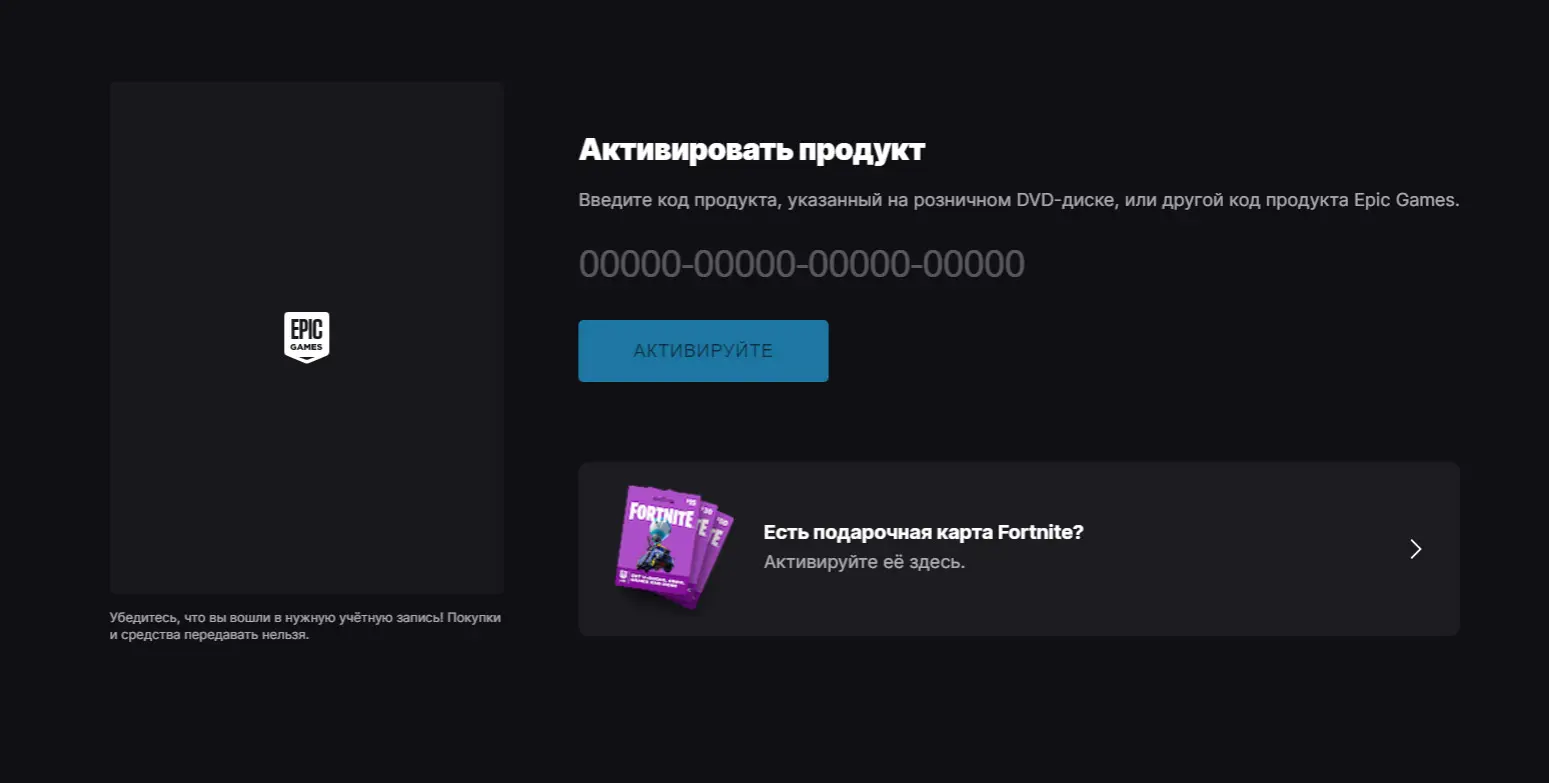
Select “Redeem Code.” Enter the code you received and click “Redeem,” then wait for the message confirming successful redemption.
Be sure to check the region and code type before purchasing—some codes are intended only for specific countries or platforms.
Estimated price:
- 50 credits — 50 rubles;
- 100 credits — 100 rubles;
- 200 credits — 150 rubles;
- 500 credits — 250 rubles;
- 2,000 credits — 1,200 rubles.
It’s more cost-effective to buy credits in bulk. If you plan to keep playing Rocket League, it’ll be easier to save up credits to buy next season’s Battle Pass and so on.
What Are Credits Used For?

Credits are Rocket League’s primary in-game currency. They’re used to purchase cosmetic items and other paid content. With credits, you can:
- buy cars, decals, wheels, headshot effects, and other items in the store;
- purchase cosmetic bundles and sets;
- craft items from blueprints you’ve earned;
- purchase the premium version of the Rocket Pass;
- purchase individual paid content during events and collaborations.
Credits do not provide any direct advantages during matches—most purchases are related to car appearances and additional content.
Frequently Asked Questions (FAQ)
Получить кредиты бесплатно напрямую нельзя, но часть валюты можно вернуть в качестве наград за прохождение премиального Rocket Pass.
Нет, передавать кредиты другим пользователям нельзя — обмен предметами и валютой между игроками отключили в декабре 2023 года.
Кредиты используют для покупки предметов в магазине, создания вещей из чертежей и приобретения Rocket Pass Premium.
Да, российские игроки могут воспользоваться зарубежной картой, подарочными кодами или сервисами-посредниками.
Не все кредиты переносятся между связанными платформами: доступность валюты зависит от способа её получения и площадки, на которой совершена покупка.