Mods for Marvel Rivals: How to Install and Where to Download the Best Mods

The community has already released hundreds of mods for Marvel Rivals—ranging from new costumes and character models to interface replacements and visual effects. Most mods can be installed for free via the Nexus Mods website. In this guide, we’ll explain how to install mods for Marvel Rivals and highlight some of the most popular mods worth trying.
How to Install Mods for Marvel Rivals
For most mods to work, simply copying the files into the game folder isn’t enough. But first, you need to install the UTOC Signature Bypass Patch—a special patch that disables digital signature verification and allows Marvel Rivals to load custom .pak, .utoc, and .ucas files.
After that:
- Download the UTOC Signature Bypass Patch from Nexus Mods and extract it.
- Open the game folder. In Steam, right-click on Marvel Rivals, select “Manage,” then “Browse Local Files.”
- Navigate to the MarvelRivalsMarvelGameMarvelBinariesWin64 folder.
- Copy the contents of the patch (the plugins folder and the dsound.dll file) into the Win64 folder next to the game’s executable file.
- Go back to the MarvelRivalsMarvelGameMarvelContentPaks folder and create a folder inside it named ~mods (it’s important to name it exactly like this, including the ~ symbol).
- Download the mod you like from Nexus Mods and extract the archive. Modern mods usually contain three files: .pak, .utoc, and .ucas.
- Copy all the mod files to the MarvelRivalsMarvelGameMarvelContentPaks~mods folder.
- Launch the game. If the mod is compatible with the current version of Marvel Rivals, it will load automatically at startup.
After major game updates, older mods may stop working. In this case, wait for updates to the UTOC and the mod itself, and remove outdated mods from the ~mods folder to avoid crashes at startup.
Popular Mods for Marvel Rivals
DC Character Pack — replaces Black Widow with Harley Quinn, Doctor Strange with Doctor Fate, Hawkeye with Green Arrow, Iron Man with Lex Luthor, and so on.
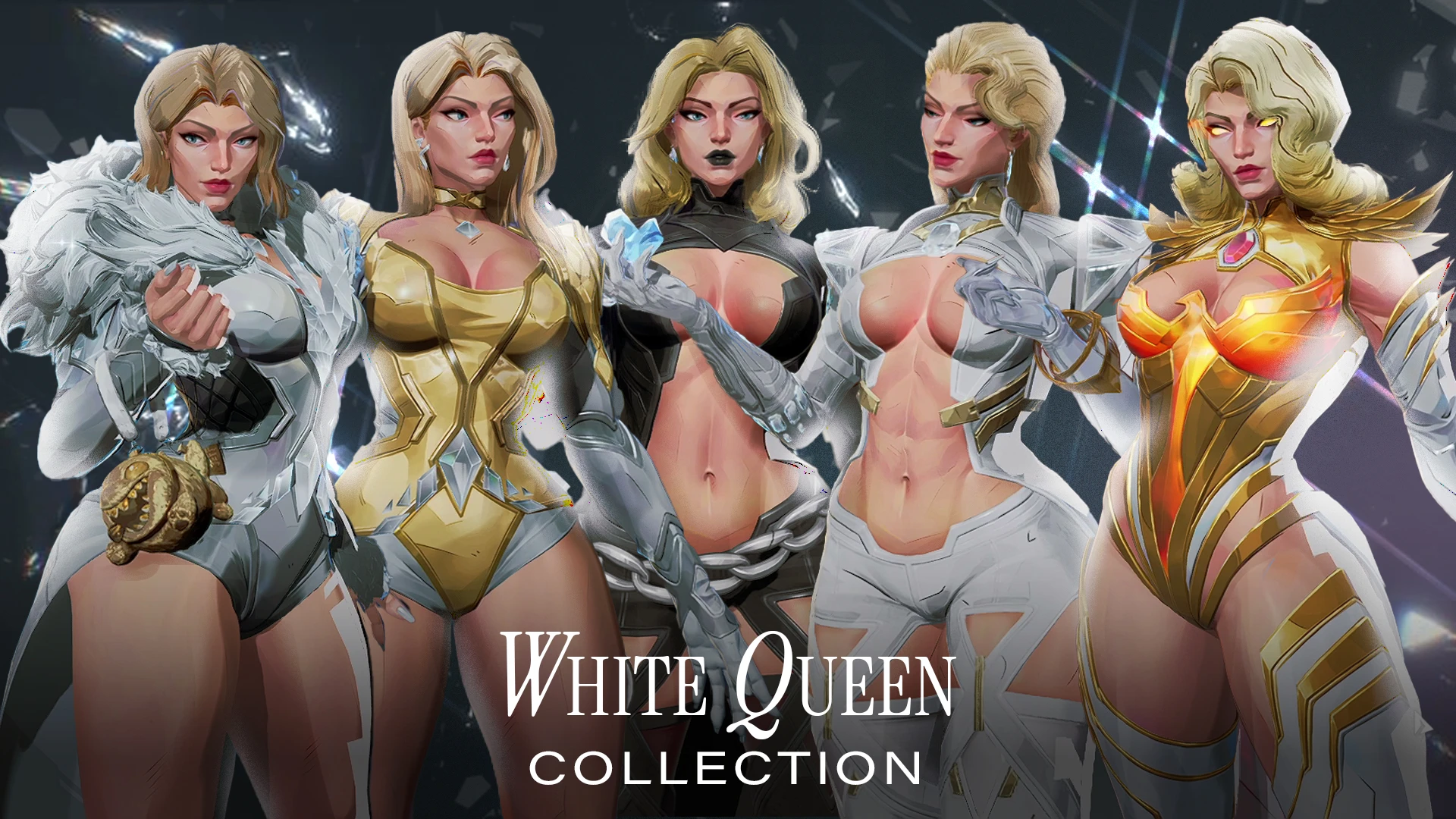
The White Queen Collection — a redesign of all Emma Frost skins, including the Battle Pass skin and the Jeffbubu accessory.
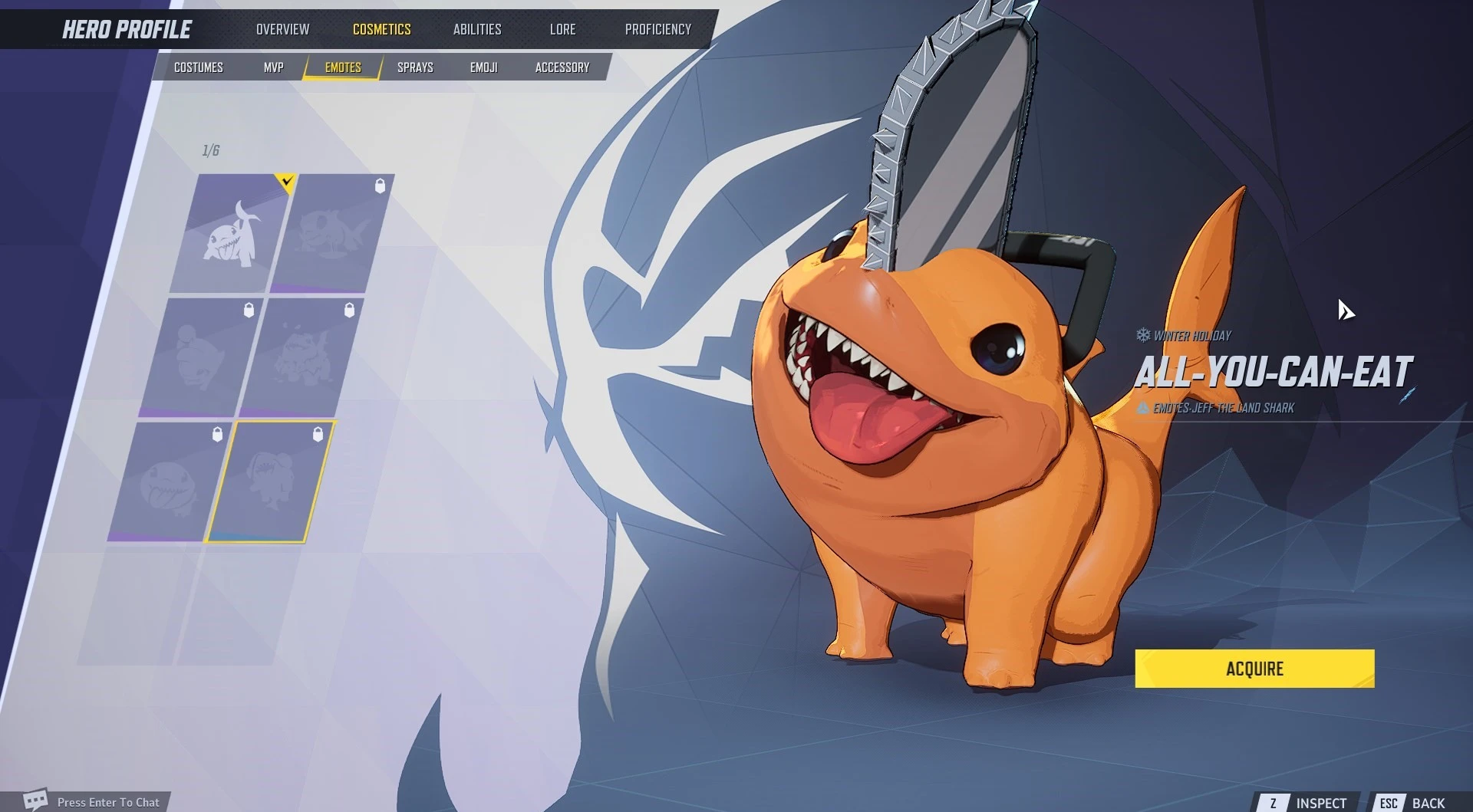
Pochita Jeff — replaces Jeff’s shark skin with Pochita from the anime *Chainsaw Man*.
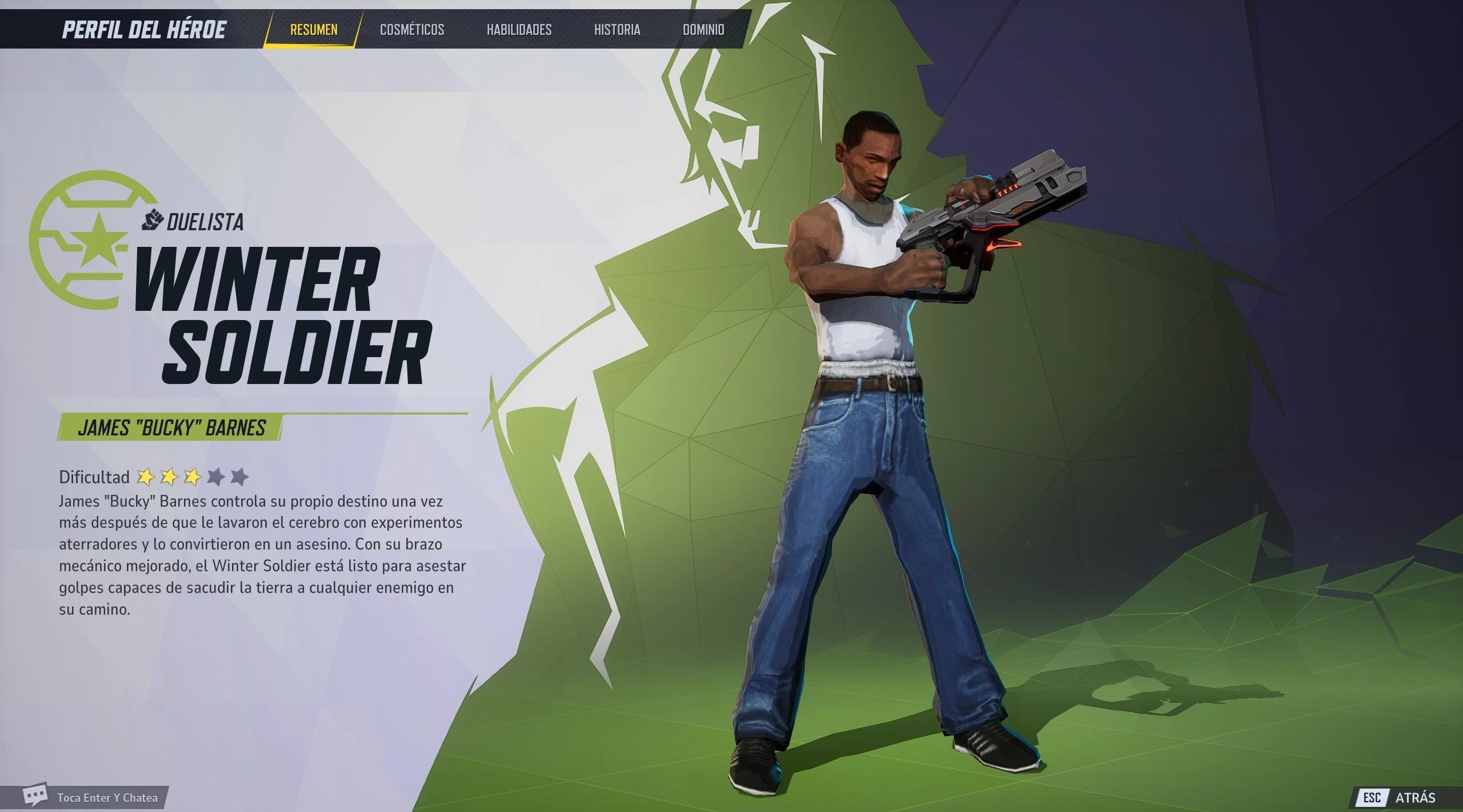
CJ as Winter Soldier — ah shit, here we go again.
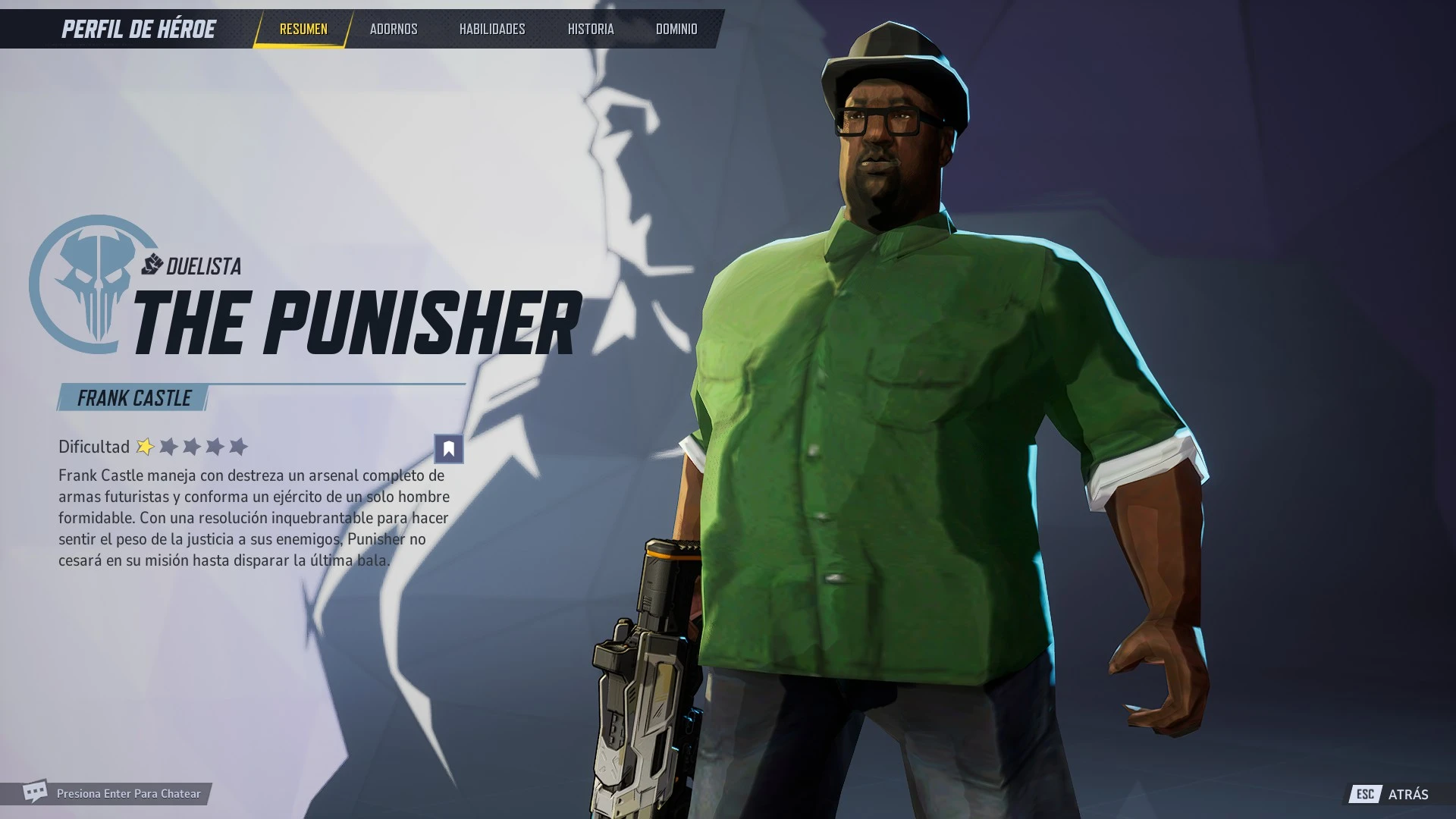
Big Smoke as The Punisher — replaces The Punisher with a portly gangster from the legendary GTA.
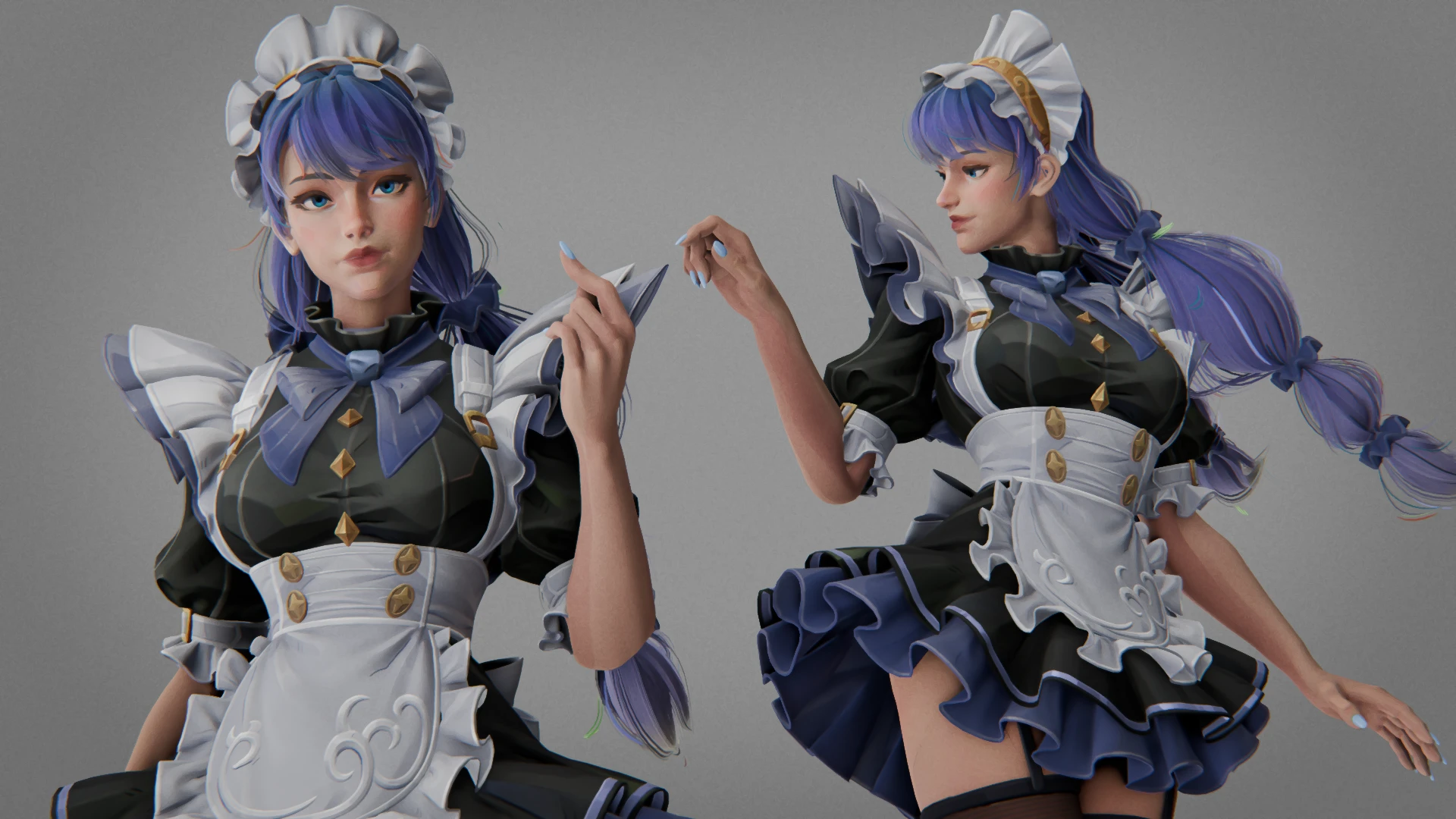
Blue Bell Maid — a maid outfit for the Invisible Woman.
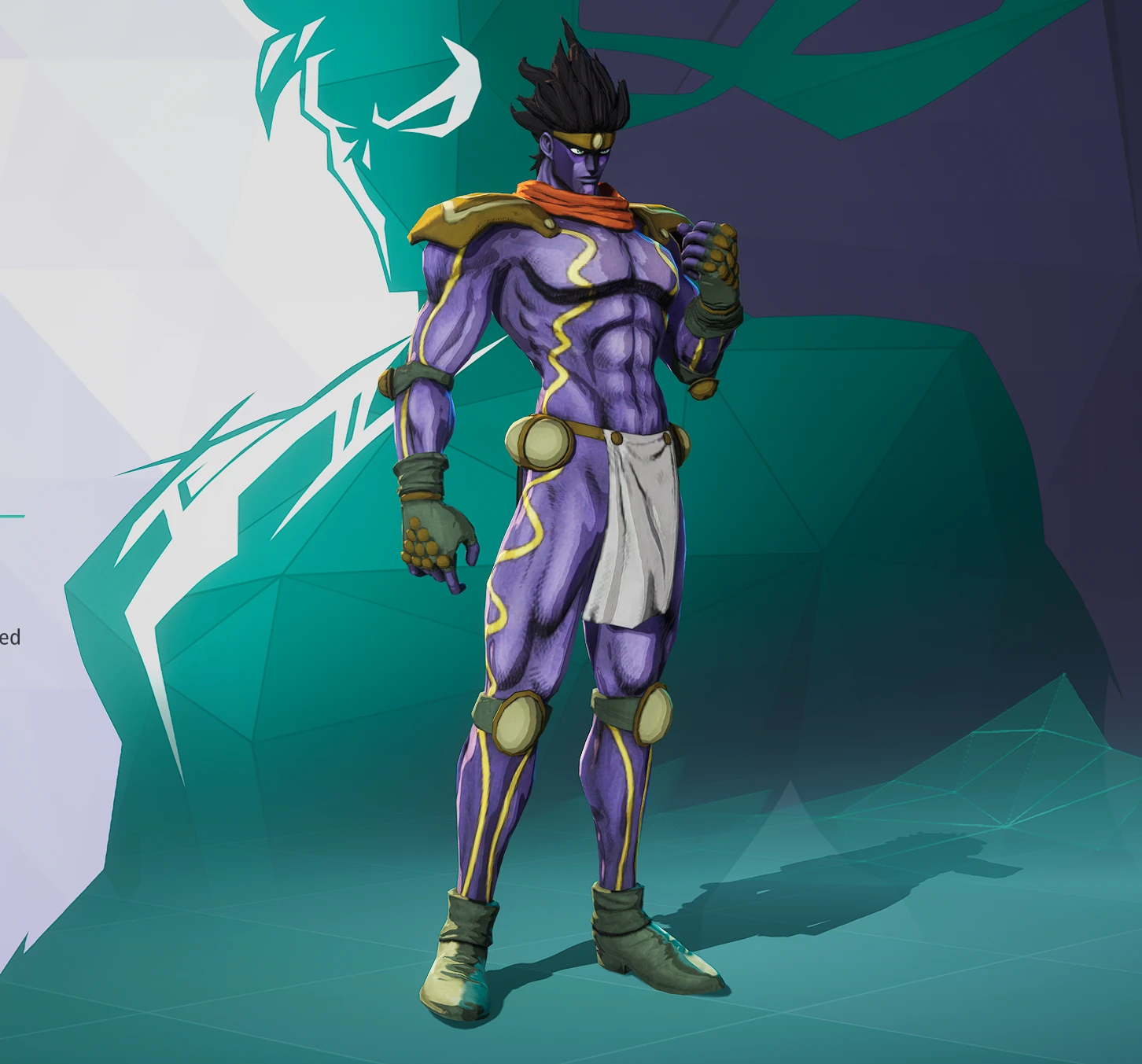
Star Platinum over Iron Fist — a stand from the “JoJo” universe with the meme sound “ORAORAORA” for Iron Fist.
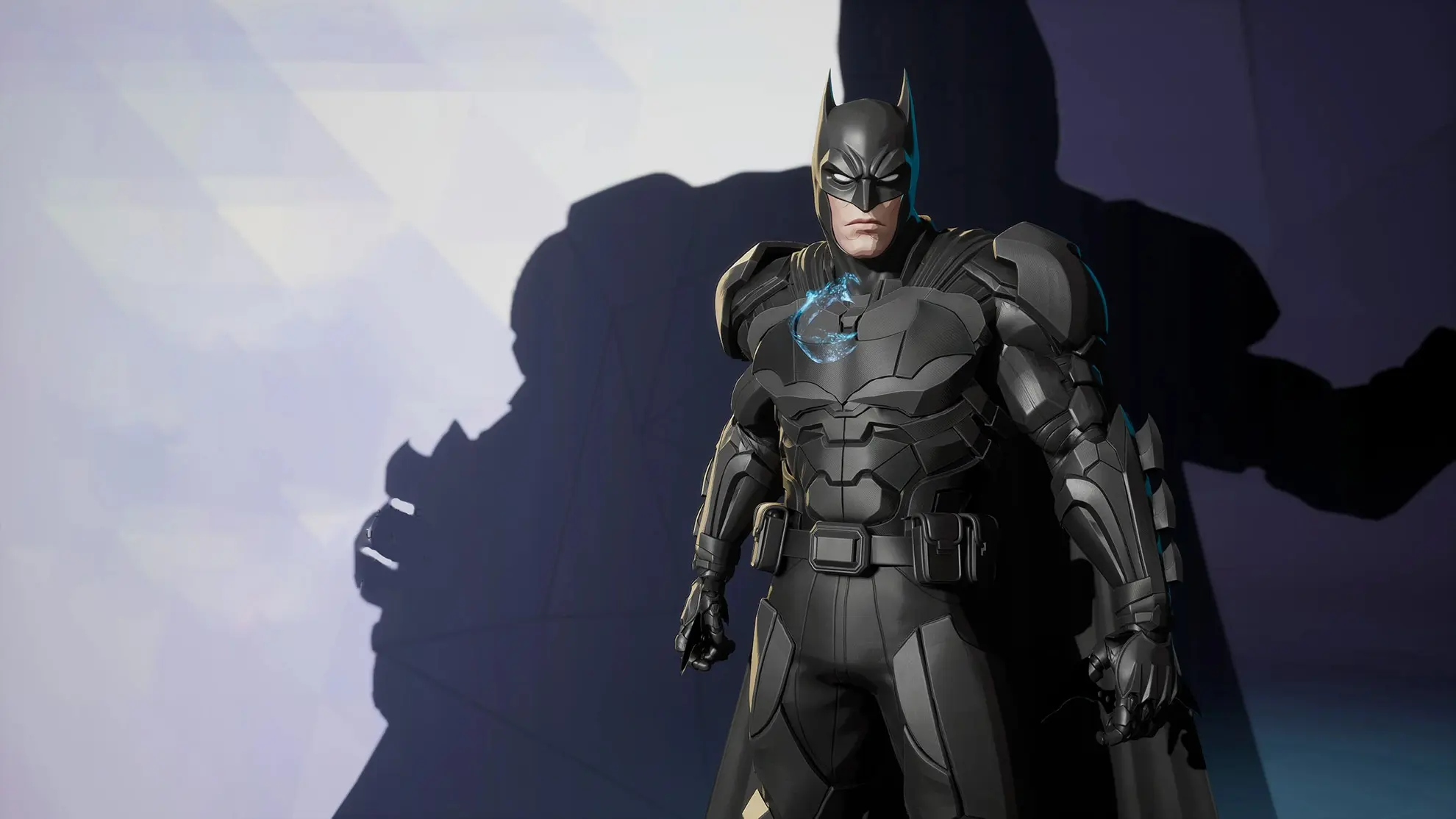
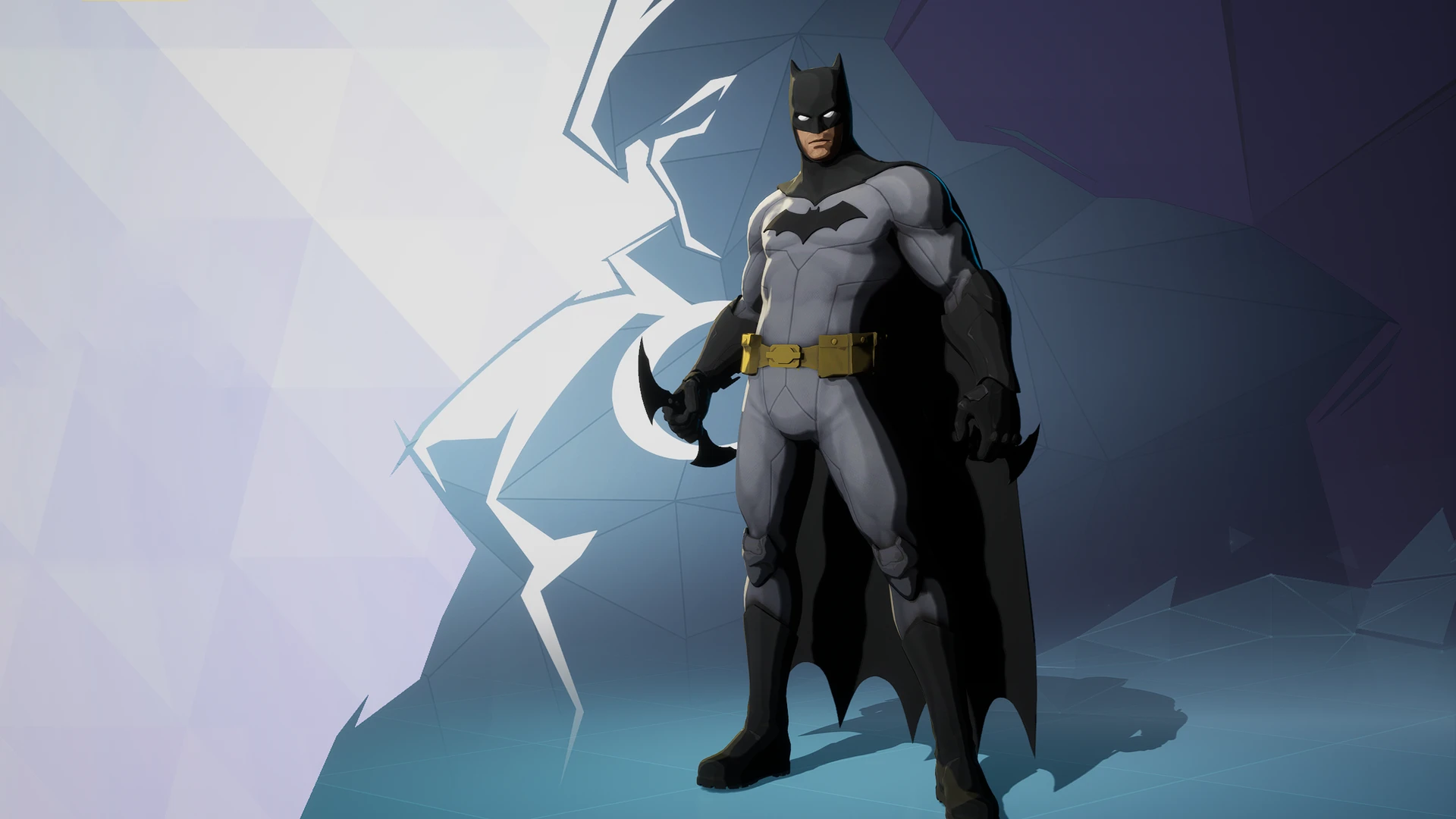
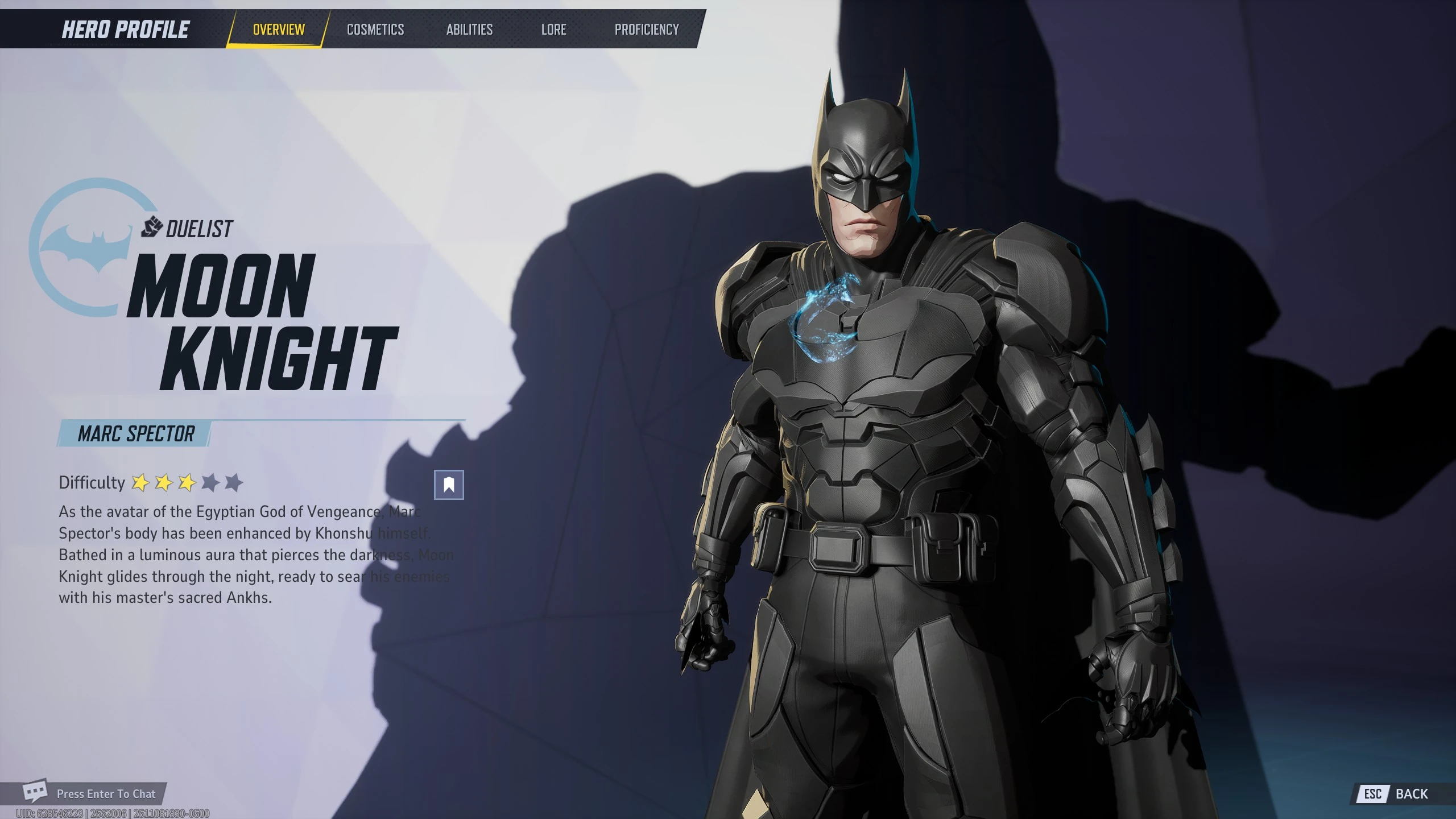
Batman Moon Knight — replaces Moon Knight with Batman.
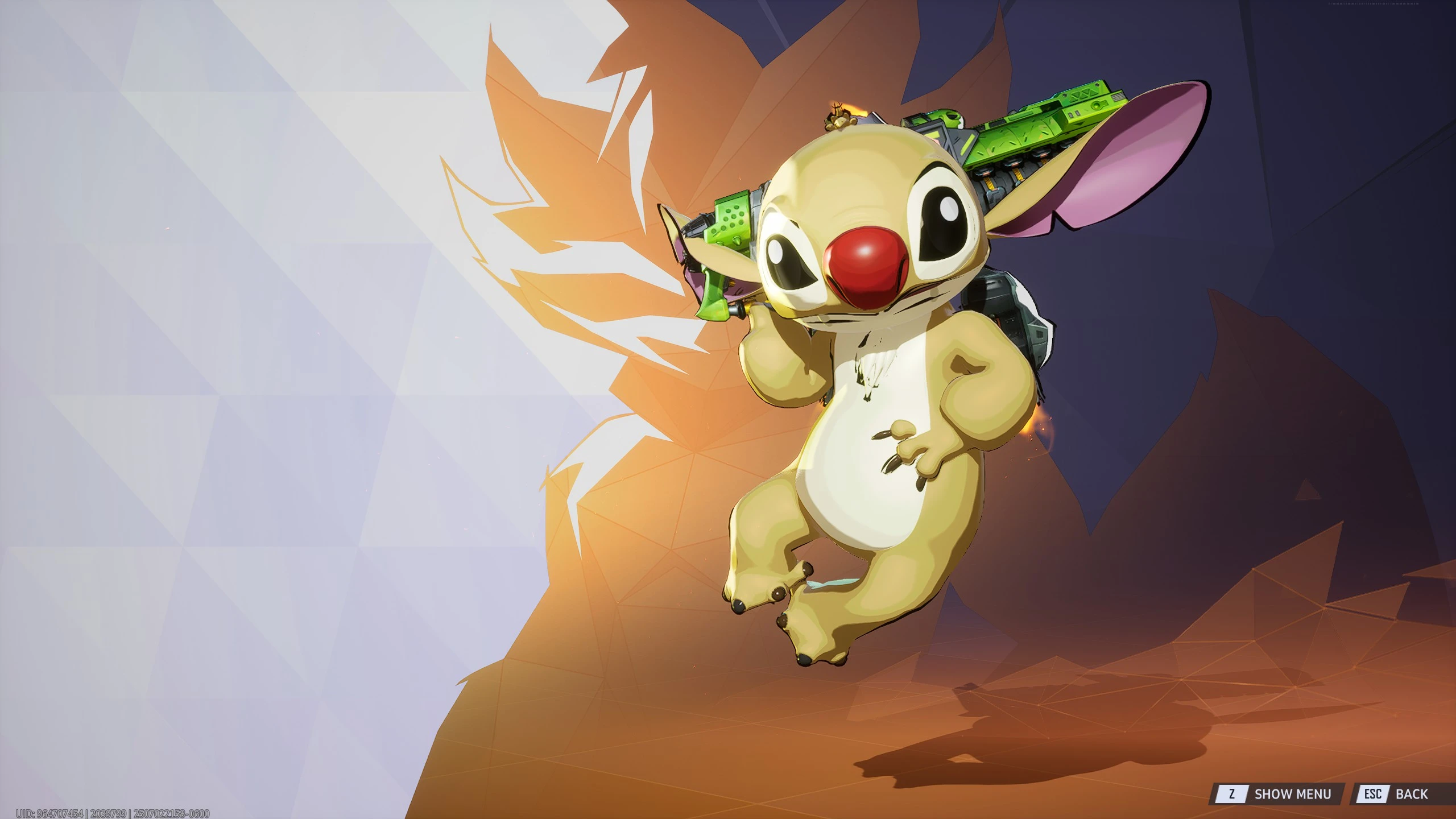
Stitch — Stitch from the animated film “Lilo & Stitch” as a skin for the raccoon Rocket.
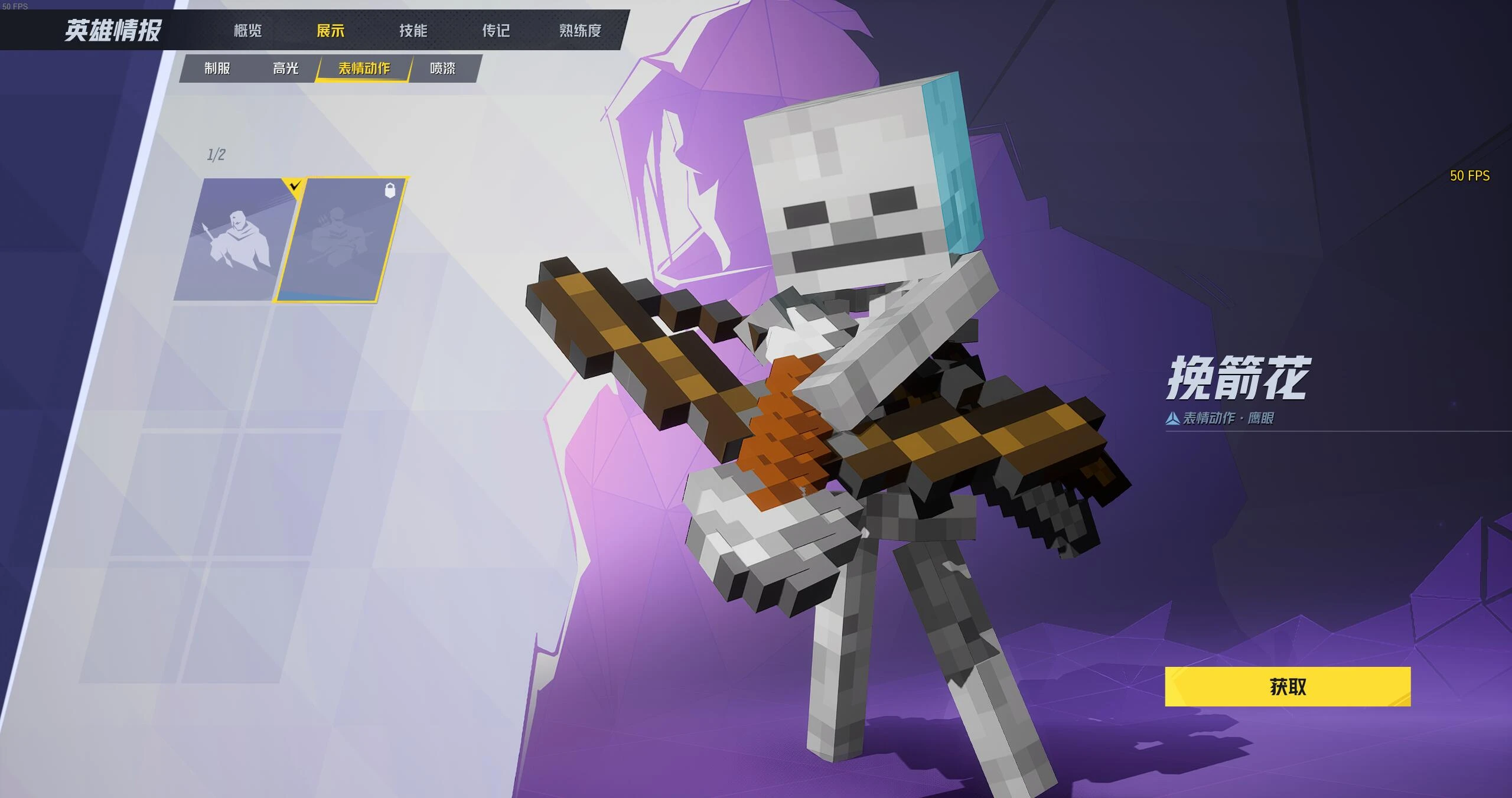
Hawkeye to Minecraft Skeleton — changes Hawkeye into a Minecraft skeleton.
Frequently Asked Questions (FAQ)
Самое популярное место для загрузки модов — сайт Nexus Mods. Там публикуются новые костюмы, модели персонажей, интерфейсные модификации и другие пользовательские дополнения.
Разработчики официально не поддерживают модификации. Большинство модов изменяет только внешний вид игры, однако они не поддерживают и это.
Для большинства модов потребуется установить UTOC Signature Bypass Patch, создать папку ~mods в каталоге игры и скопировать туда файлы мода. После этого мод загрузится автоматически при запуске игры.
После крупных патчей структура файлов игры может измениться. В этом случае нужно дождаться обновления UTOC Signature Bypass Patch и совместимой версии самого мода.
Да, если они не изменяют одни и те же игровые файлы. Если два мода заменяют один и тот же костюм или персонажа, одновременно использовать их обычно не получится.