Overwatch in Russia in 2026: How to Download and Play

Overwatch 2 is available in Russia with some restrictions: owners of Russian accounts may find that the game is missing from Battle.net or encounter a “No License” error on Steam. However, it’s still possible to launch Overwatch in Russia, though the method depends on the store and your account’s region. In this guide, we’ll walk you through how to play Overwatch in Russia in 2026, download the game, and resolve issues with regional restrictions.
Does Overwatch Work in Russia in 2026?
It is possible to play Overwatch in Russia in 2026, but regional restrictions apply to Russian accounts.
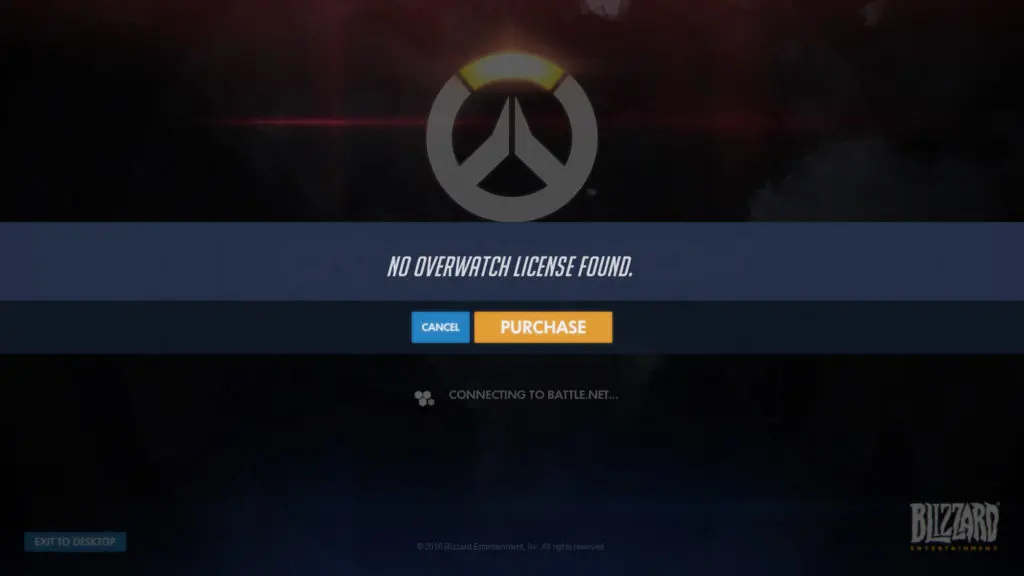
The main problem arises for new players. You cannot activate a free Overwatch license in the Russian Steam region—Russia is listed among the countries where activation is prohibited. Therefore, when you try to add the game to a Russian account for the first time, you may see a “No license” error.
To play Overwatch in Russia, players typically use a Battle.net account from another supported region or activate the Steam version using an IP-changing program. If the game is already installed and the license was previously added to the account, you usually don’t need to obtain it again.
How to Download Overwatch in Russia
The easiest way to download Overwatch in Russia is through Steam. The free game license isn’t available for activation in the Russian region, so you’ll need an IP-changing program when adding it for the first time. To download Overwatch in Russia:
- Install Steam and log in to your account.
- Close the Steam client completely.
- Launch the IP-changing program and select a country where Overwatch is available.
- Reopen Steam and search for Overwatch.
- Click “Play” and confirm that you want to add the game and start the installation.
- Wait for the download to start. After that, you can disable the IP changer and continue the download as usual.
If you see the error “No Overwatch license,” first completely restart Steam with the IP changer running, then try adding the game again. We’ve covered this issue in a separate article.
Do You Need to Change Your Region for Overwatch?
No, it’s not necessary to change your account region specifically for Overwatch. If Overwatch is already added to your library and launches, keep your current region—the game itself doesn’t require a region change.
However, for beginners, changing your Steam region will make things easier. If the method using an IP-changing program described above didn’t work, contact the sellers on digital marketplaces for help—they charge about 200 rubles for this service.
Changing your region via Battle.net is much more complicated. Therefore, if you haven’t started playing yet, it’s best to create a Battle.net account using an IP-changing program set to any other region. The game is free to play, so you shouldn’t have any problems with this.
Frequently Asked Questions (FAQ)
Да, играть можно, но для российских аккаунтов действуют региональные ограничения.
Игру можно скачать через Steam, предварительно получив бесплатную лицензию с помощью программы для смены IP.
Бесплатную лицензию Overwatch нельзя активировать в российском регионе Steam.
Нет, если игра уже добавлена в библиотеку и запускается, менять регион не требуется.
Закройте Steam, включите программу для смены IP, снова запустите клиент и попробуйте добавить игру.