Sensitivity in Valorant: The Best Sensitivity Settings, CS:GO Conversion, and Pro Players’ Sensitivity Settings
The right sensitivity in Valorant affects your aim just as much as a good scope or high FPS. Too high a sensitivity makes it hard to aim precisely at an opponent’s head, while too low a sensitivity prevents you from reacting quickly to enemies. In this guide, we’ll explain what sensitivity settings pro players use, how to find the right sensitivity for yourself, and how to transfer your sensitivity from CS:GO to Valorant so you don’t have to get used to new settings all over again.
What Is Sensitivity in Valorant and What Does It Affect
Sensitivity in Valorant refers to the mouse sensitivity within the game. It determines how quickly the crosshair moves when you move the mouse. The higher the sensitivity value, the fewer hand movements are needed to rotate the camera. The lower the value, the more precise the micro-adjustments, but the more you’ll have to move the mouse.
A properly selected sensitivity affects reaction speed, shooting accuracy, and overall comfort while playing. Too high a sensitivity often causes the player to “overshoot” the opponent’s head, while too low a sensitivity makes it difficult to turn quickly and check blind spots. That’s why most professional players use relatively low or medium sensitivity and adjust it individually to suit their playstyle.
When choosing sensitivity, players also consider the eDPI—the product of the mouse’s DPI and in-game sensitivity. For most professionals, eDPI falls roughly between 200 and 400, but there’s no one-size-fits-all value. The main rule is to find settings that allow you to consistently hit your opponents comfortably.
How to Convert Sensitivity from CS:GO to Valorant
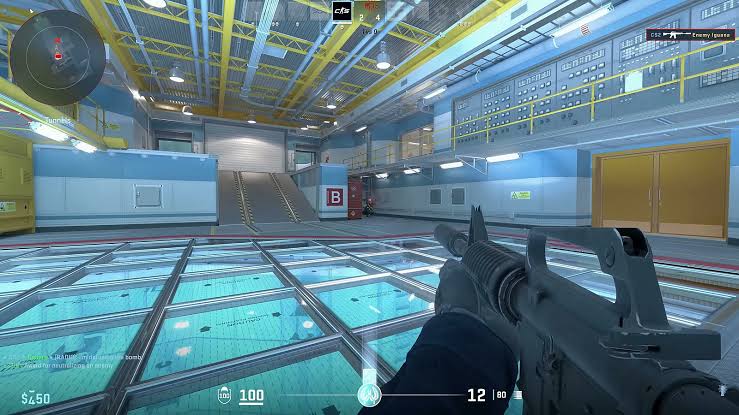
If you’ve switched from CS to Valorant, you don’t necessarily have to adjust your sensitivity all over again. You can convert your sensitivity using a special formula and keep your usual mouse movements.
To convert sensitivity from CS to Valorant, use this formula: Valorant sensitivity = CS2 sensitivity / 3.18
For example:
- 1.5 in CS2 = 0.472 in Valorant;
- 1.8 in CS2 = 0.566 in Valorant;
- 2.0 in CS2 = 0.629 in Valorant.
To change your sensitivity:
- Launch Valorant.
- Open “Settings.”
- Go to the “General” tab.
- Find the “Sensitivity” option: “Primary.”
- Enter the value you calculated.
You can also use online sensitivity converters. They automatically calculate the sensitivity between different games and help you maintain a consistent aiming experience.
However, that’s not all. Due to differences in field of view, monitor size, and personal preferences, many players have to adjust the final value slightly—usually by 0.01–0.03 points in either direction. In any case, choose your settings based on how they feel to you.
Valorant Players’ Sensitivity: Pro Settings
Most esports players use a relatively low or medium sensitivity to control micro-movements more easily and land headshots more accurately.
| Who | DPI | Sensitivity | eDPI |
| Tyson “TenZ” Van Ngo | 1,600 | 0.1 | 160 |
| Eric “aspas” Santos | 800 | 0.4 | 320 |
| Max “Demon1” Mazanov | 1,600 | 0.1 | 160 |
| Mehmet “cNed” Yagiz Ipek | 800 | 0.32 | 256 |
| Ayaz “nAts” Akhmetchin | 800 | 0.49 | 392 |
| Andan “MiniBoo” Šišić | 800 | 0.29 | 232 |
| Shahzeb “ShaZaM” Khan | 800 | 0.265 | 212 |
| Eric “Xeppaa” Bach | 800 | 0.35 | 280 |
| Adil “ScreaM” Benrlitom | 400 | 0.741 | 296 |
| Kamil “kamo” Frżonczek | 1,600 | 0.1 | 160 |
These settings are updated regularly, so individual players may slightly adjust their sensitivity between tournaments. However, the general trend remains the same: most professionals use an eDPI ranging from approximately 160 to 320. Remember that you don’t have to copy an esports player’s sensitivity exactly. You can use it as a starting point and then adjust the sensitivity to suit your mousepad size, mouse, and playstyle.
Frequently Asked Questions (FAQ)
Чаще всего низкой считают eDPI до 200, средней — от 200 до 320, а высокой — выше 320. Большинство профессиональных игроков используют низкую или среднюю чувствительность, потому что она позволяет точнее контролировать прицел.
Да, но только как отправную точку. Сенса профессионала может не подойти вам из-за другого размера коврика, мыши, монитора или привычек. После копирования лучше немного подстроить чувствительность под себя.
Мышечной памяти нужно время, чтобы привыкнуть к новым настройкам. После смены чувствительности большинство игроков временно начинает стрелять хуже. Обычно адаптация занимает от нескольких дней до нескольких недель.
Нет. Постоянная смена сенсы мешает выработать мышечную память и негативно влияет на стабильность стрельбы. Если вы постоянно копируете у киберспортсменов, это в итоге выйдет боком — вы не научитесь чувствовать самостоятельно, что вам нужно.
Оба параметра одинаково важны, потому что вместе они формируют итоговую чувствительность — eDPI. Например, 800 DPI и сенса 0,4 дают тот же eDPI, что и 1600 DPI и сенса 0,2. Поэтому оценивать настройки нужно именно по итоговому значению eDPI, а не по одному параметру отдельно.