How to disable hints from other players in Genshin Impact

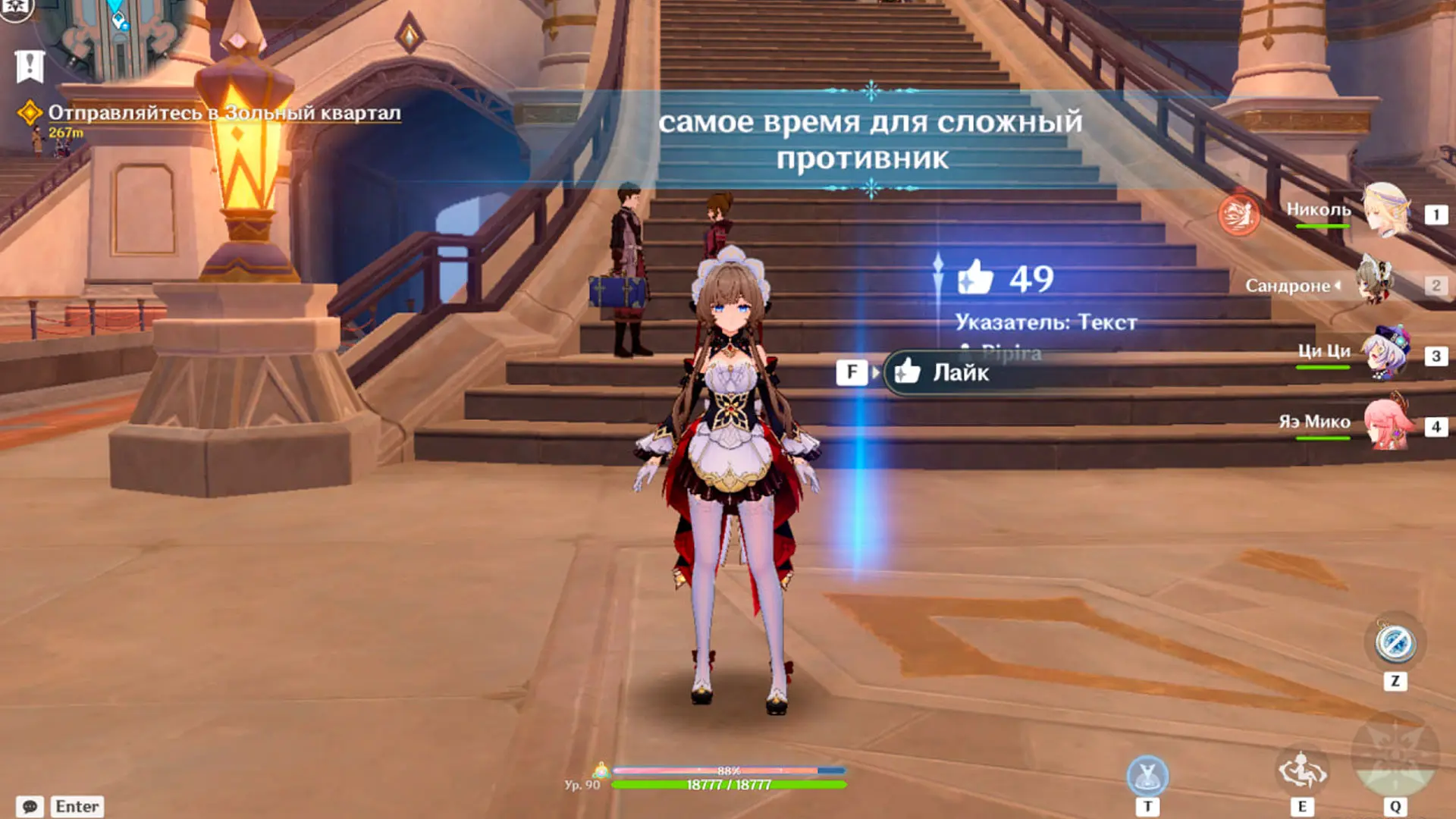
With the release of Snowfall in Genshin Impact, a new mechanic has been introduced: markers for other players, reminiscent of the messages in Dark Souls. These appear while you’re exploring the world and can be distracting or simply annoying due to their constant presence on the screen. In this guide, we’ll show you how to disable other players’ markers and remove them from your world.
How to Remove Messages and Ice Structures Left by Other Players
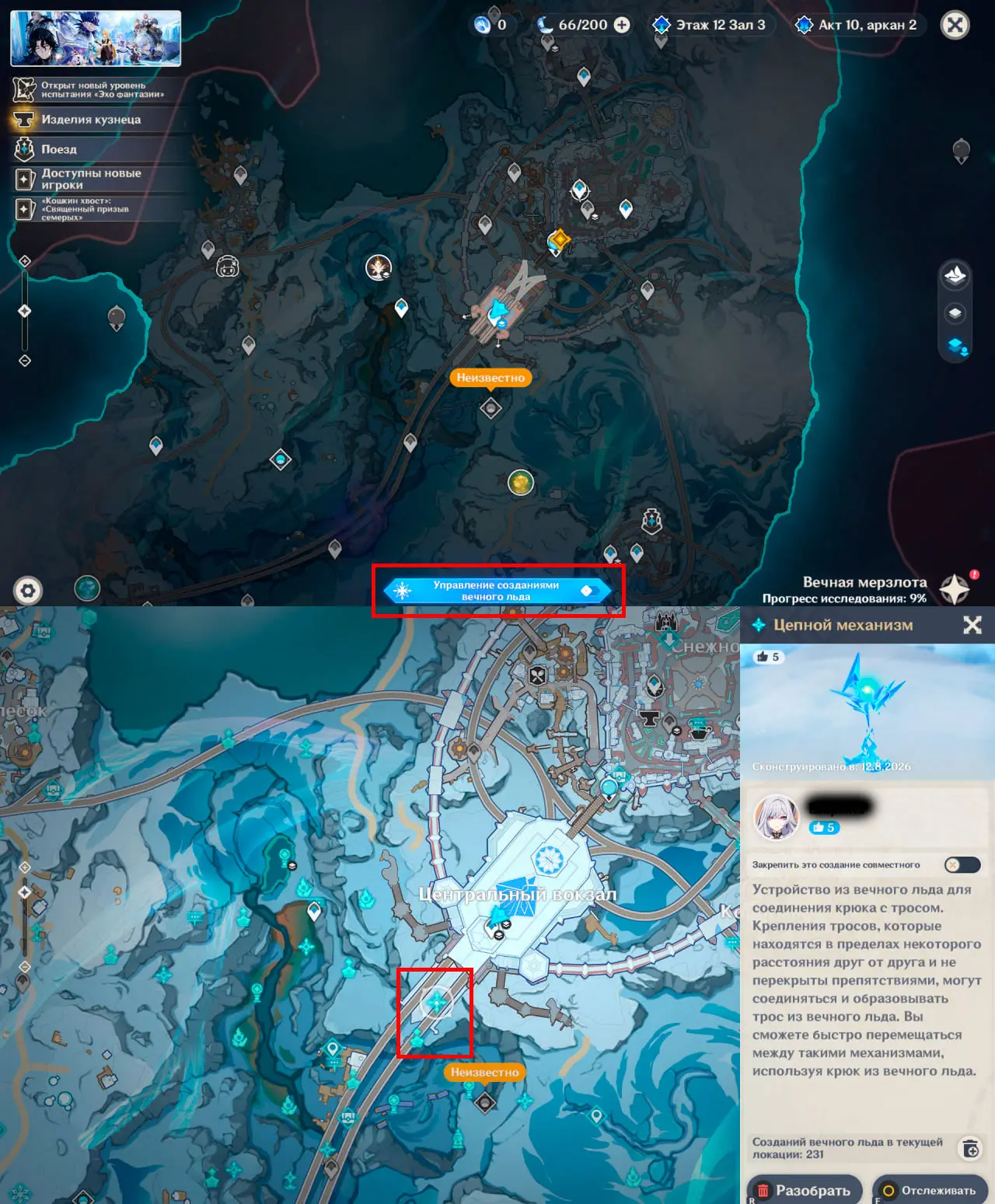
This new mechanic has allowed players to troll each other, which is why it’s sometimes impossible to start a dialogue near an NPC because the area is blocked by ice structures. You can remove an annoying structure at any time. To do this, go to the map menu and select “Manage Eternal Ice Structures” at the very bottom of the map. Unfortunately, you can only remove them one at a time and manually.
If you don’t want to share your structures or receive new Eternal Ice creations, open Build Mode (T by default), then press E to access the settings menu.
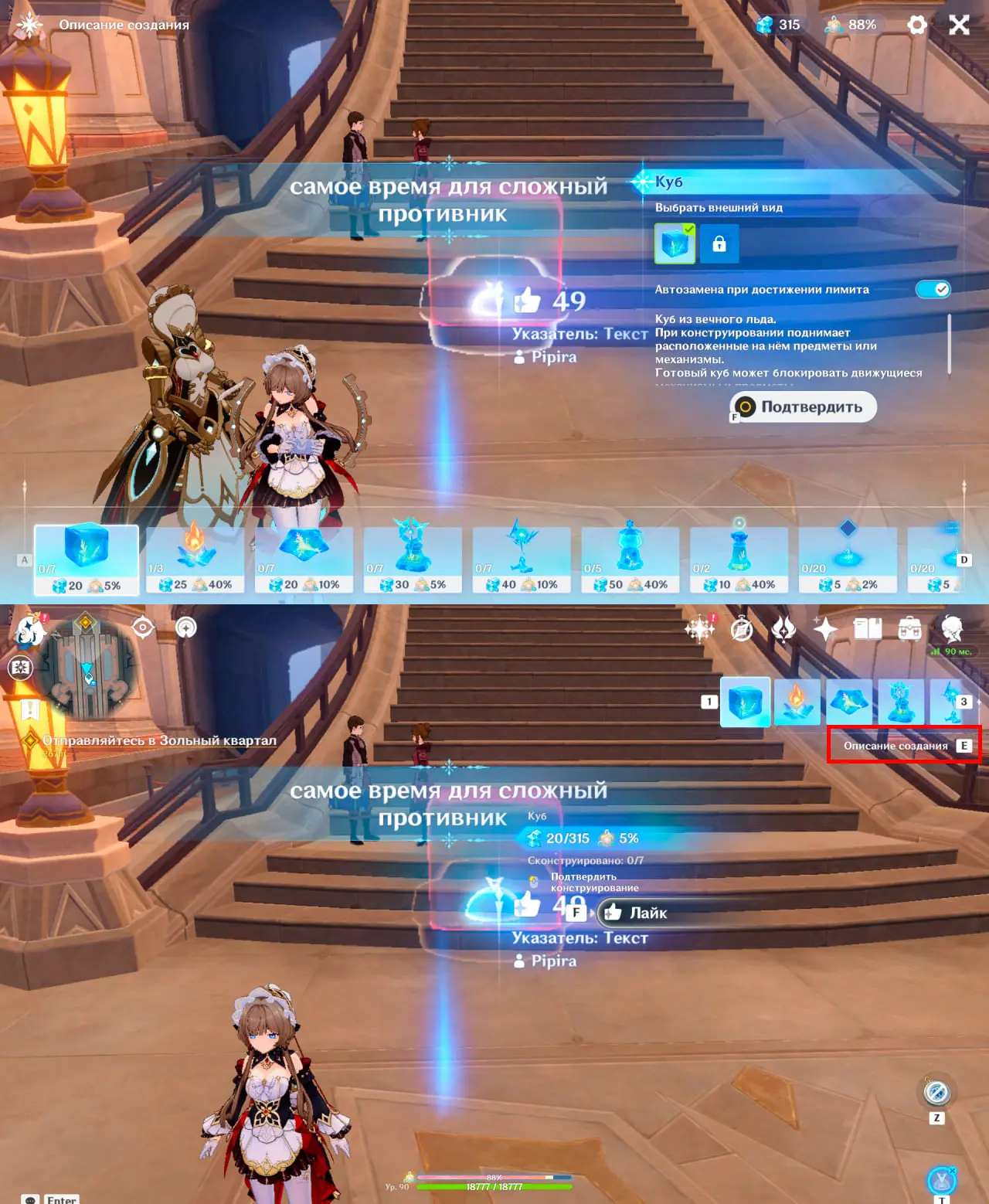
In the menu that appears, disable sharing or receiving structures.
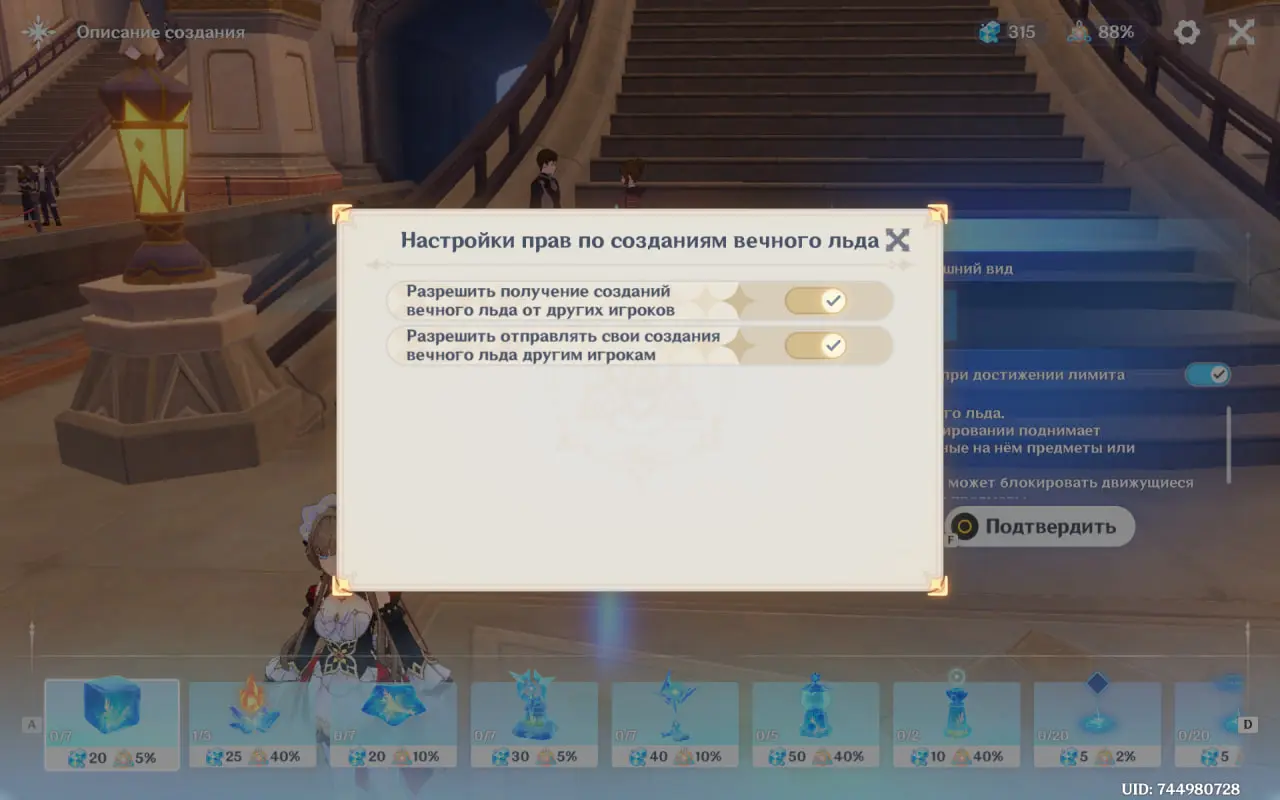
Unfortunately, this method is buggy and may reset when you restart the game. Therefore, it’s best to wait for a patch that allows players to delete everything with a single button.
Frequently Asked Questions (FAQ)
Откройте карту, перейдите в «Управление созданиями вечного льда» и удалите нужную конструкцию вручную.
Да, это можно отключить в настройках режима постройки.
В режиме постройки нажмите T, затем E и запретите получение новых созданий вечного льда в открывшемся меню.