League of Legends Errors: VAN 57, Vanguard, Crashes, and Other Solutions

When launching League of Legends, players may encounter various issues: VAN 57 error, Vanguard crashes, game crashes, endless loading, login problems, or a black screen. Most of these errors can be fixed on your own without reinstalling the game. In this article, we’ve compiled the most common League of Legends errors and how to fix them.
VAN 57 Error in League of Legends
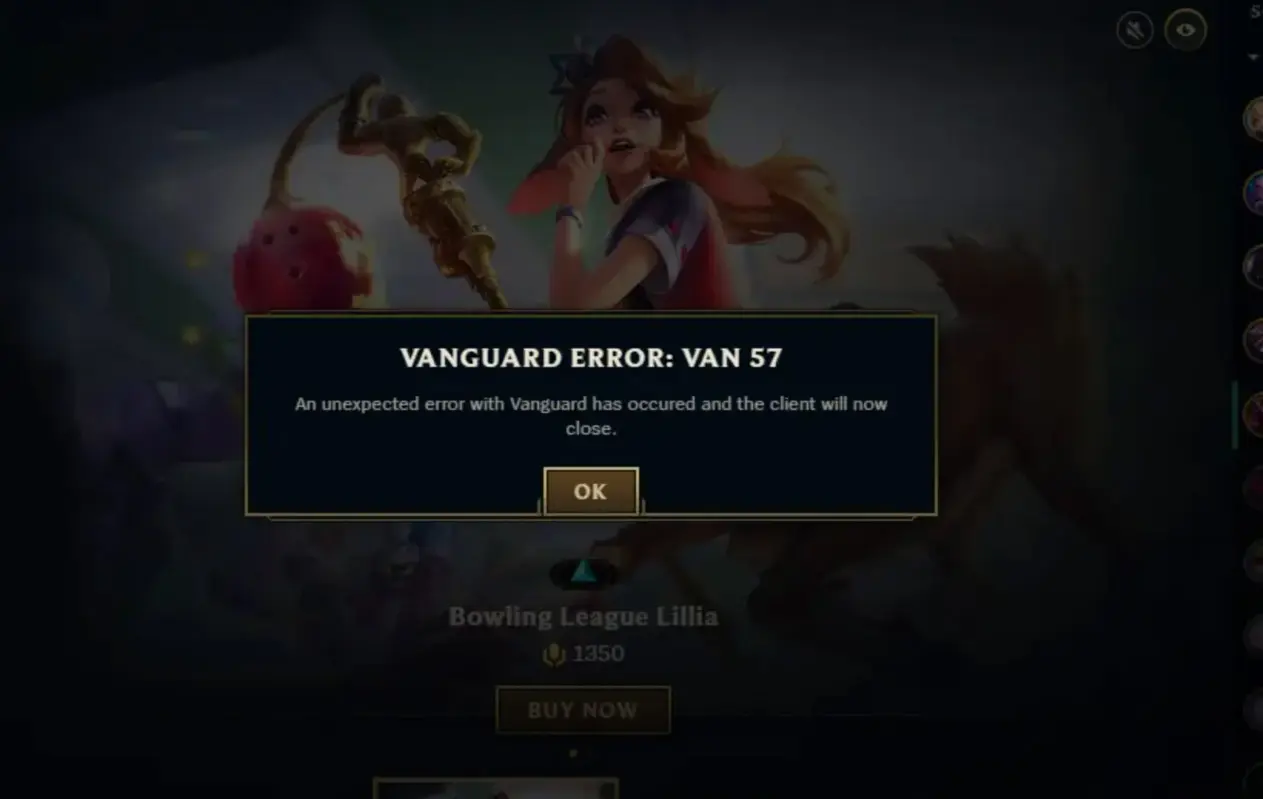
The VAN 57 error is related to the Vanguard anti-cheat system. It most often occurs when the Vanguard service has failed to start, has been disabled, or is running with an error. Because of this, League of Legends cannot pass the security check and blocks the game from launching.
In most cases, restarting your computer will resolve the issue. If the error persists, open Windows Services, locate “vgc,” ensure the service is running, and restart it if necessary. If that doesn’t help, uninstall Vanguard via “Apps & Features,” then launch the League of Legends client again—the anti-cheat will install automatically.
Vanguard Errors in League of Legends
In addition to VAN 57, players may encounter messages such as “An unexpected Vanguard error has occurred” or simply “Vanguard error.” These issues usually occur after a Windows update, a conflict with drivers, overclocking software, or antivirus programs.
First, completely close the Riot Client and restart your computer. If the error persists, it’s recommended to reinstall Vanguard and check for Windows updates. You should also temporarily disable programs that interfere with system operations, such as MSI Afterburner, Process Hacker, or other similar software.
An unexpected error has occurred in League of Legends
The message “An unexpected error has occurred” does not indicate a specific problem. It may be caused by a Riot Client crash, corrupted game files, or temporary server issues.
First, restart the Riot Client and check the server status on the official website. If the servers are operating normally, use the “Restore” feature in the Riot Client or run a full scan of the game files.
League of Legends Login Errors
If you see a “Failed to log in” or “Login error” message, the problem is most often related to a connection issue with Riot’s servers, incorrect account credentials, or temporary maintenance. Check that your username and password are correct, disable any internet accelerators if you’re using them, and verify that Riot’s servers are available on the game’s official website.
League of Legends won’t launch
If League of Legends won’t launch at all, the cause may be corrupted game files, issues with the client, Vanguard, or missing Windows components. Try running the client as an administrator, verify the game files using the built-in repair tool, and update your graphics card driver.
League of Legends Crashes, Freezes, or Lags
Crashes, freezes, and poor performance may be caused by outdated drivers, a overloaded system, conflicts with background programs, or an unstable internet connection. Sometimes the game starts to lag even on a powerful PC after major client updates. Close unnecessary applications, update your graphics card driver, check the temperature of your components, and try lowering your graphics settings. If the problem only started after the latest patch, it’s worth waiting for fixes from Riot Games.
Black Screen and Endless Loading
A black screen or getting stuck on the loading screen is usually caused by corrupted client files, a Vanguard conflict, or connection issues with Riot’s servers. In most cases, restarting the game, restoring the files, or deleting the Riot Client cache folder will resolve the issue. If the screen remains black after joining a match, try updating your graphics card driver and disabling all third-party overlays, including Steam, Overwolf, and MSI Afterburner.
Frequently Asked Questions (FAQ)
Ошибка VAN 57 означает, что Вангард не смог корректно запуститься или обнаружил проблему в своей работе.
Обычно это происходит из-за сбоя службы Вангард, конфликта с программами или повреждения файлов античита.
Перезапустите компьютер, восстановите файлы игры через Riot Client и убедитесь, что Вангард работает без ошибок.
Причиной могут быть устаревшие драйверы, фоновые программы, проблемы после обновления или неправильные настройки игры.
Нет. В большинстве случаев достаточно восстановить файлы игры или переустановить только Вангард.
Статус серверов можно посмотреть на официальной странице поддержки Riot Games.
Если стандартные способы не решили проблему, обратитесь в поддержку и приложите логи клиента для диагностики.